KC MAX
21
Maintenance of the dust filter
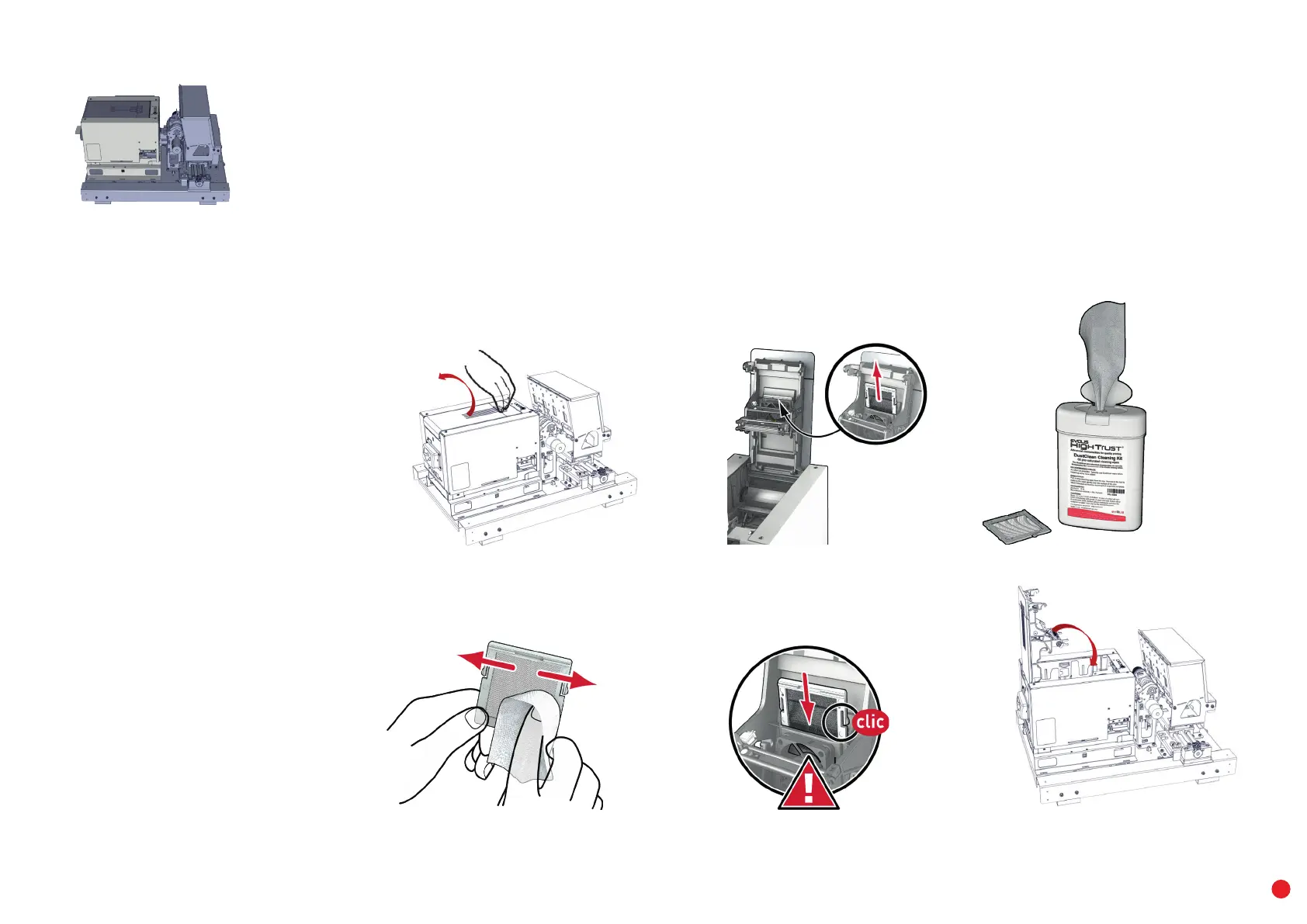
The dust filter is located above the ventilator for the print head. This filter can get dirty over time. We recommend cleaning it once a year
orafter10,000 cards, depending on your work environment.
1 Open the printer cover. Locate the dust filter.
2 Remove the filter by pulling it up and sliding to release it completely.
3 Once the filter has been removed from its place, take one of the cleaning wipes supplied by Evolis.
4 Clean the filter by wiping each side of it.
5 To put it back, insert it in place (groove facing you) and push it down until it clicks into position.
6 Close the cover.
1
4
2
5
3
6



 To Next Page