28
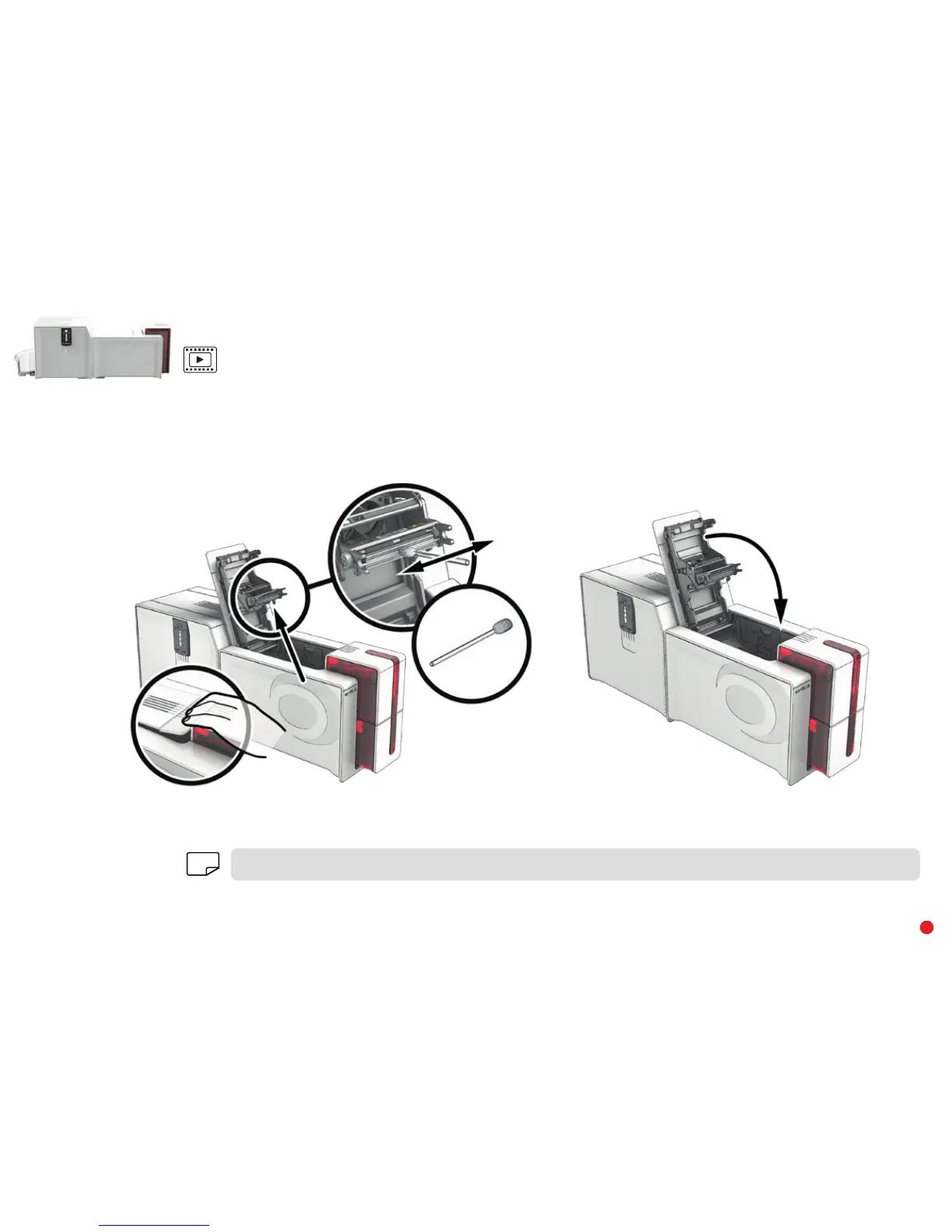
Follow the procedure below:
1 Take an Evolis cotton swab and press the middle of the tube until the end of the swab is soaked in alcohol.
2 Unplug the power supply, open the cover, and find the print head.
3 Gently rub the swab from left to right along the print head for a few seconds.
4 Close the cover. Reconnect the printer.
1
2
3
4
NOTE
Wait for 2 minutes after cleaning before using your printer.



 To Next Page