35
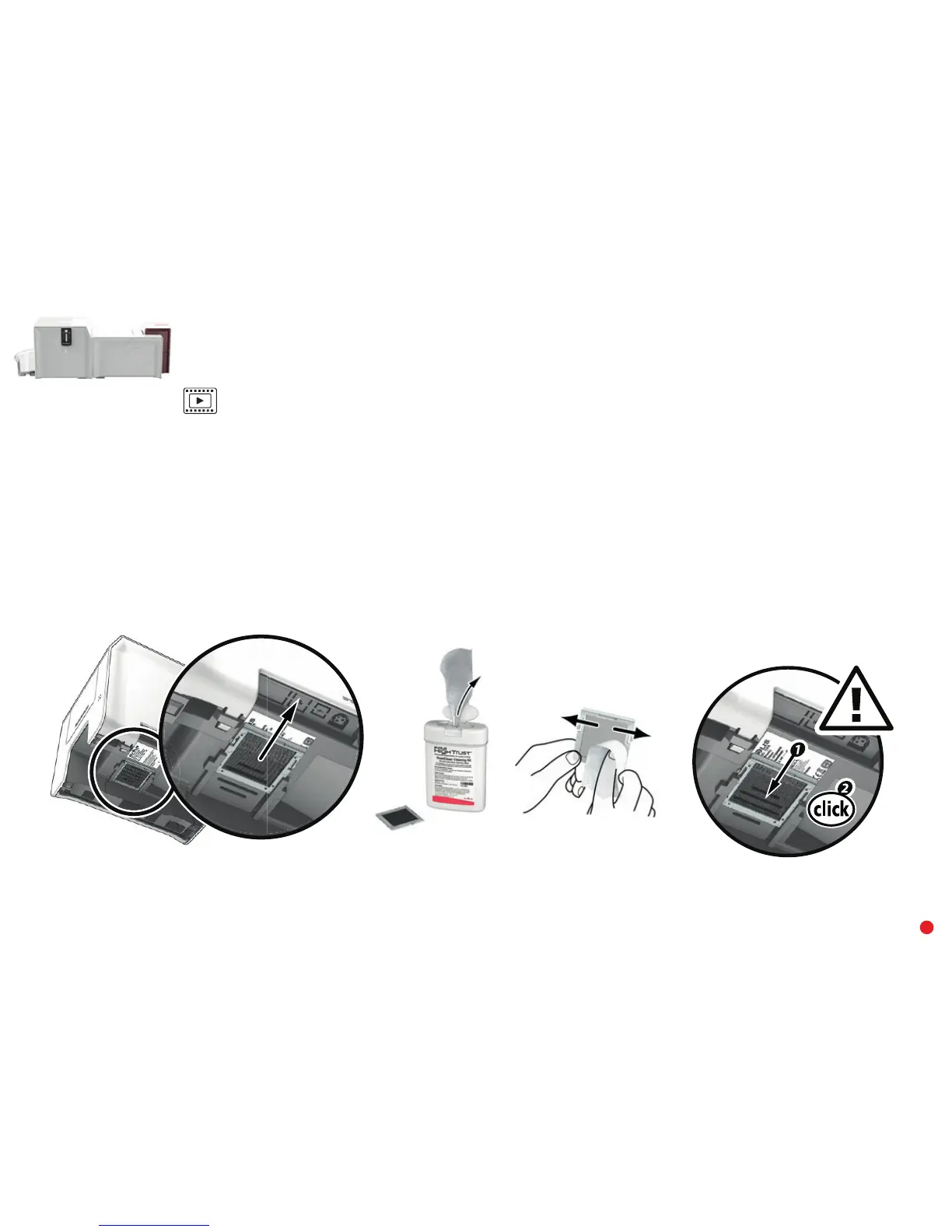
Maintaining the dust filter of the lamination unit
The dust filter is located below the lamination unit. This filter can get dirty over time. We recommend cleaning it once a year or after 10,000 cards, depending
on your work environment.
1 Unplug the lamination module and disconnect it from the printing module.
2 Put the lamination module back and locate the dust filter.
3 Remove the filter by pulling it up and sliding to release it completely.
4 Once the filter has been removed from its place, take one of the cleaning wipes supplied by Evolis.
5 Clean the filter by brushing it with the wipe on each side.
6 To put it back, insert it in place (groove facing you) and push it down until it clicks into position.
7 Plug it in again and reconnect the lamination module to the printing unit.
3 4 652



 To Next Page