36
USING THE LEVELER
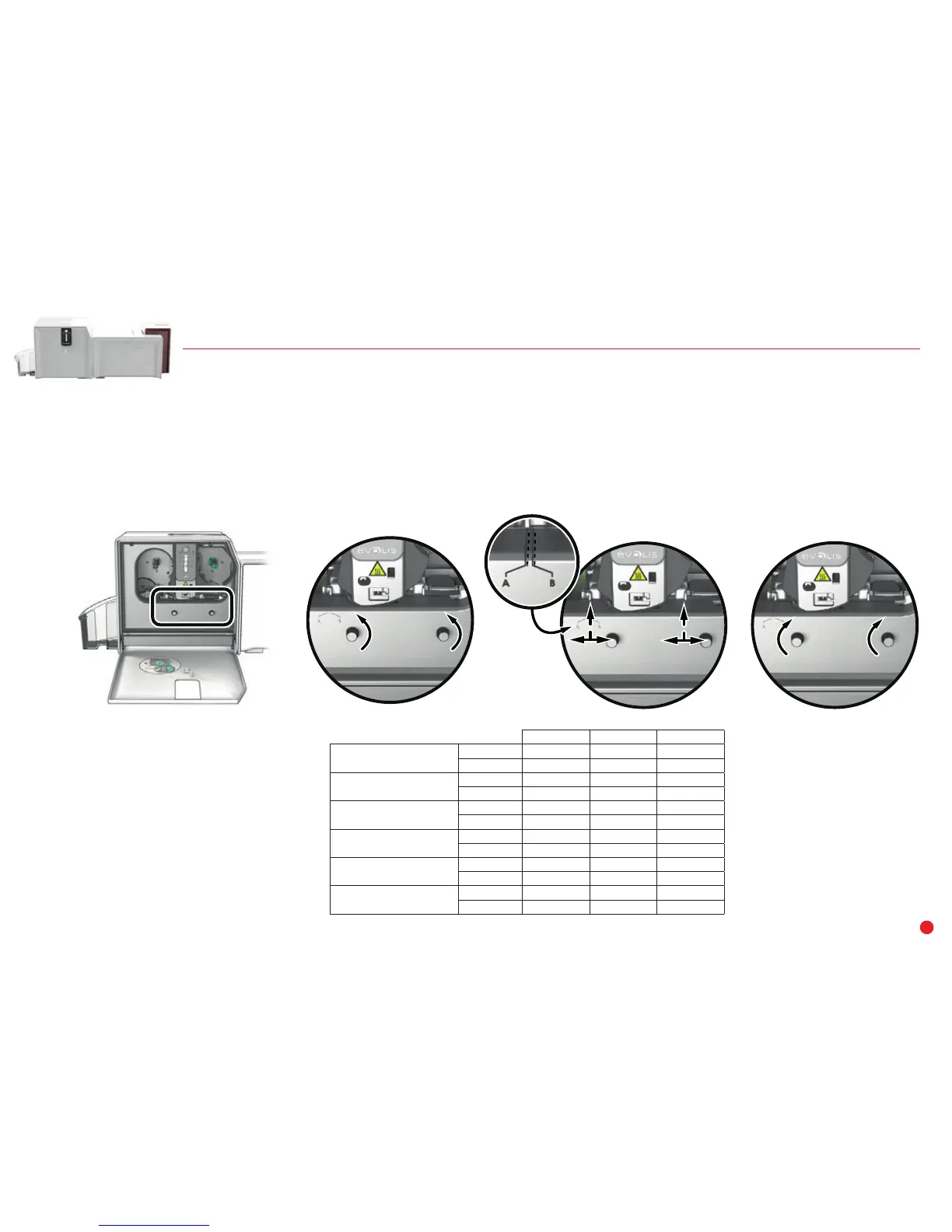
With the leveler of the lamination module you can make up for any natural bending of the card from the lamination process. Cards can be more or less
misshapen depending on the type of card and film used. Two block support positions for the card (A and B) are available to ensure the cards are perfectly flat.
Follow the procedure below:
1 Open the door of the lamination module.
2 Loosen the two wheels as shown in the diagram.
3 Depending on the type of card and film used, place the block support on position A or B (see the table below).
4 Tighten the two wheels and close the door of the lamination module.
PVC Cards PET-F Cards PC Cards
1 mil transparent patch
Single-sided B A B
Double-sided B B B
1 mil holographic patch
Single-sided A A B
Double-sided B B B
0.5 mil transparent patch
Single-sided A A B
Double-sided A A B
0.6 mil holographic patch
Single-sided A A B
Double-sided A A B
Varnish
Single-sided A A B
Double-sided B B B
Holographic varnish
Single-sided A A B
Double-sided B B B
1 3 42



 To Next Page