74
- If "Auto Rec" is set in the Security menu, the video from the camera system will be
recorded for 10 seconds when an emergency occurs. (CCTV1 is automatically saved
when sensor 1 is detected and CCTV2 is saved by sensor 2. However, if no SD card is
inserted, only the photos are saved and the sensor needs to be connected to the
C
CTV.)
- If a visitor is received during an emergency call, the visitor's video is saved
automatically when set to "Automatic recording" or can also be saved manually.
(In emergency situations, communication with visitors is limited and only the
visitor's image can be checked.)
Ve
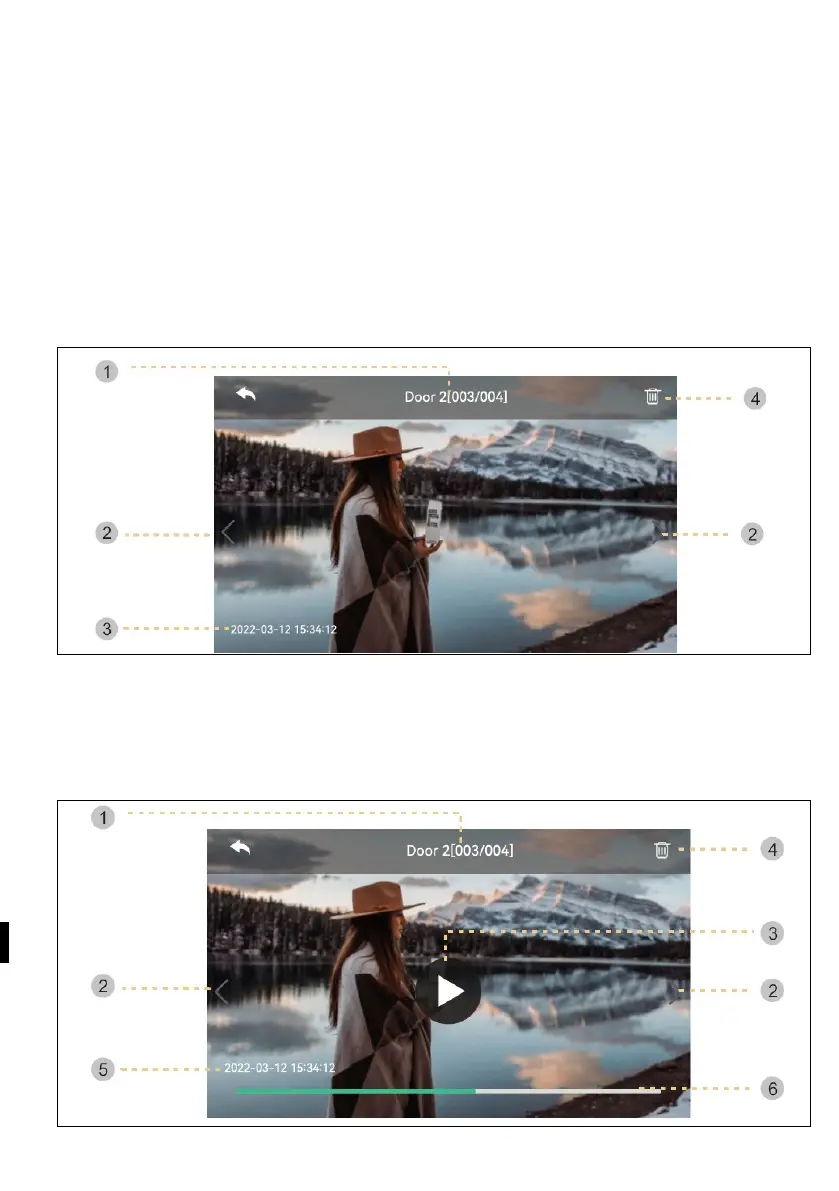
rification of images
1 ) source & number of files
2 ) Move left/right: Move previous/next video
3 ) Date and time: The actual date and time will be given.
4 ) Delete: Removing images.



 To Next Page