71
- When you set the auto save mode, the video clip and image are automatically
saved.
2 ) When you touch the answer button, you can talk to the visitor. When you touch
the door release button, the door opens.
- The maximum call time is 60 seconds.
- While saving a video clip, you can save the video clip again for 60 seconds from the
time of the call.
- When you touch the door open button, the door open icon appears in the middl
e
o
f the screen. However, the sound of the door opening does not work when savin
g
v
ideo clips and images.
3 ) When another call comes in from the other entrance, the current call is finalized
and the second call is connected.
4 ) When you press the end button, the call is ended. The main screen will appear.
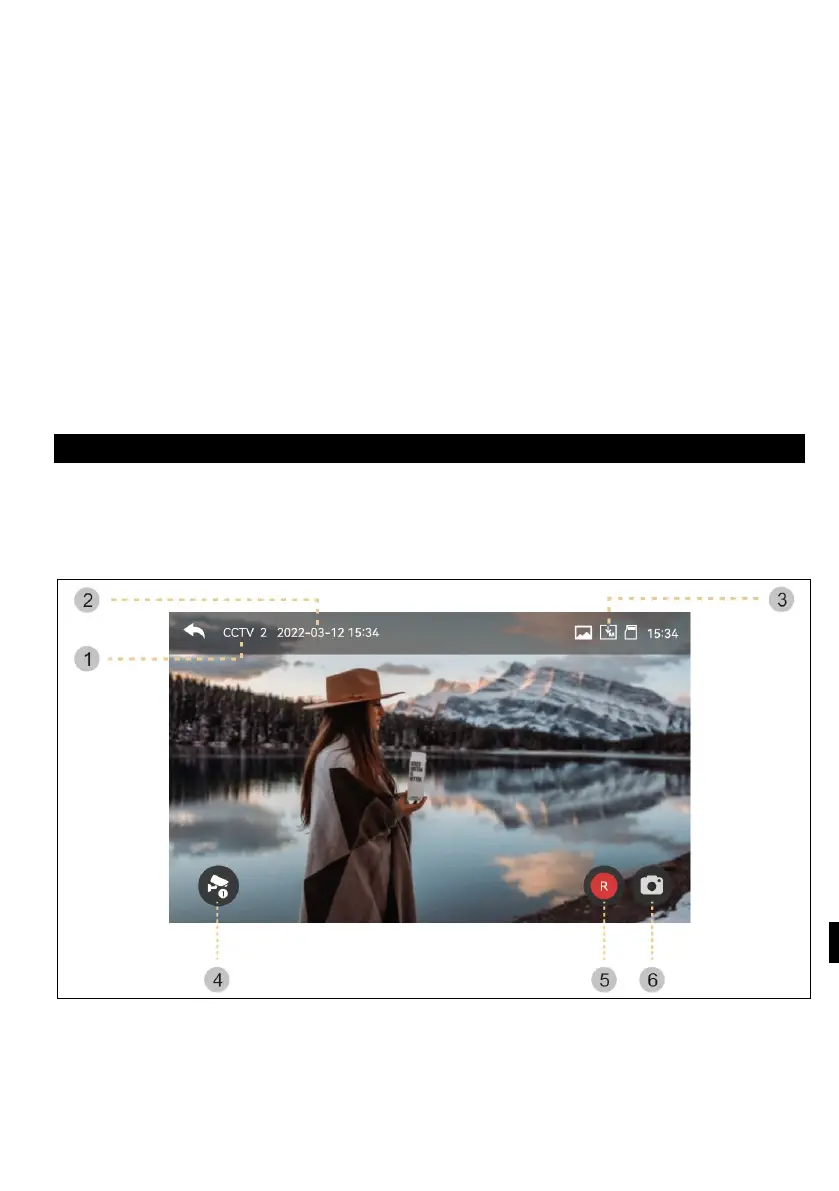
CCTV
When you touch the CCTV button, the following screen will appear. The tracking
time is max. 30 seconds. Saving a video clip can be done within 30 seconds.
(NB: CCTV functions cannot be used unless cameras are installed.)
1 )
CCTV brand: Display of the current functional camera system.
2 ) Date and time: The actual date and time will be given.
3 ) Icon set: Motion detection display and video storage. (See Monitor for more
details)



 To Next Page