73
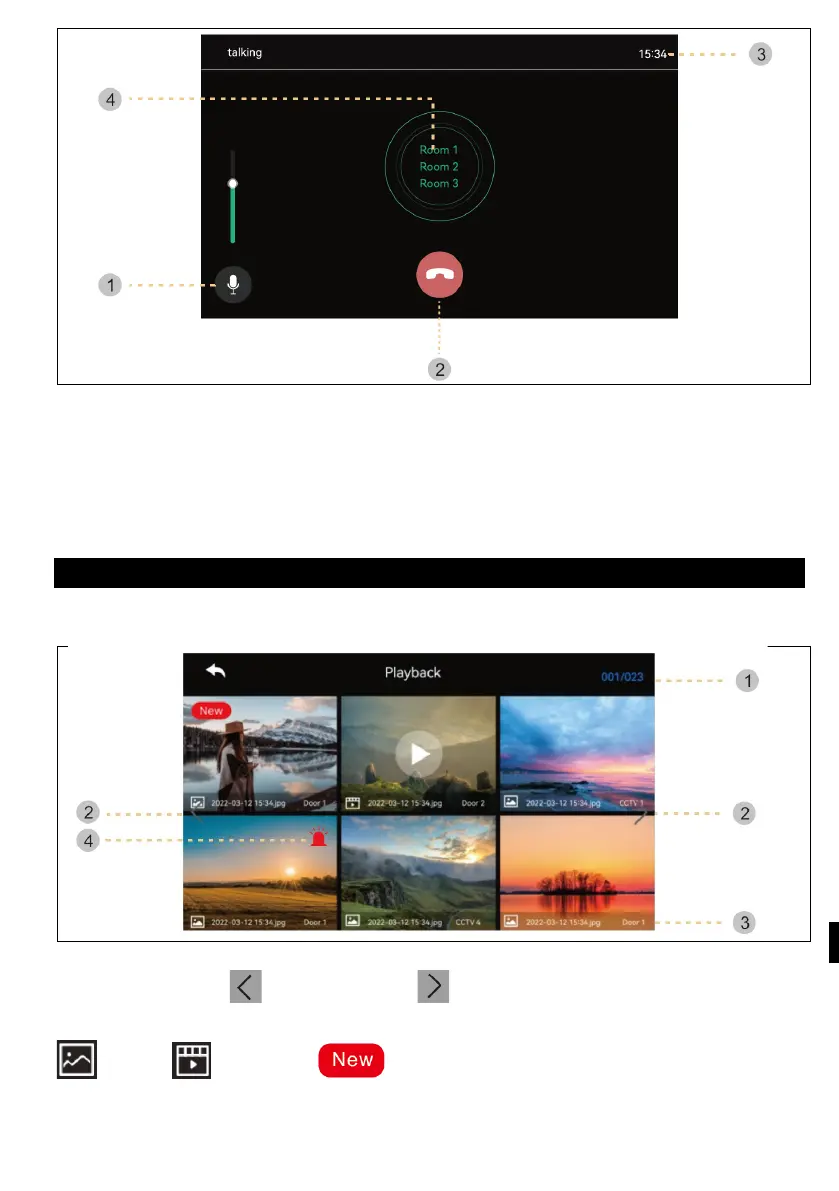
1 ) Volume control : Receive volume control (level 1-3).
2 ) Hang up: Exit and exit the intercom.
3) Call and talk time : Display the remaining call and talk time.
4 ) Phone call : The intercom is called up only when the call button is pressed.
(The ring tone sounds only when the button is pressed and held)
GALLERY
When you press the Play button, the following screen will appear. You can then
select and play the film. (The selected image is enlarged and the video is displayed.)
1 ) Page Information : Current page / Overall page
2 ) Move the page: : previous page / : next page
3 ) File information
:photo, : Video file, : New file
4 ) Emergency recording: A file saved when an emergency occurs using sensors.



 To Next Page