63
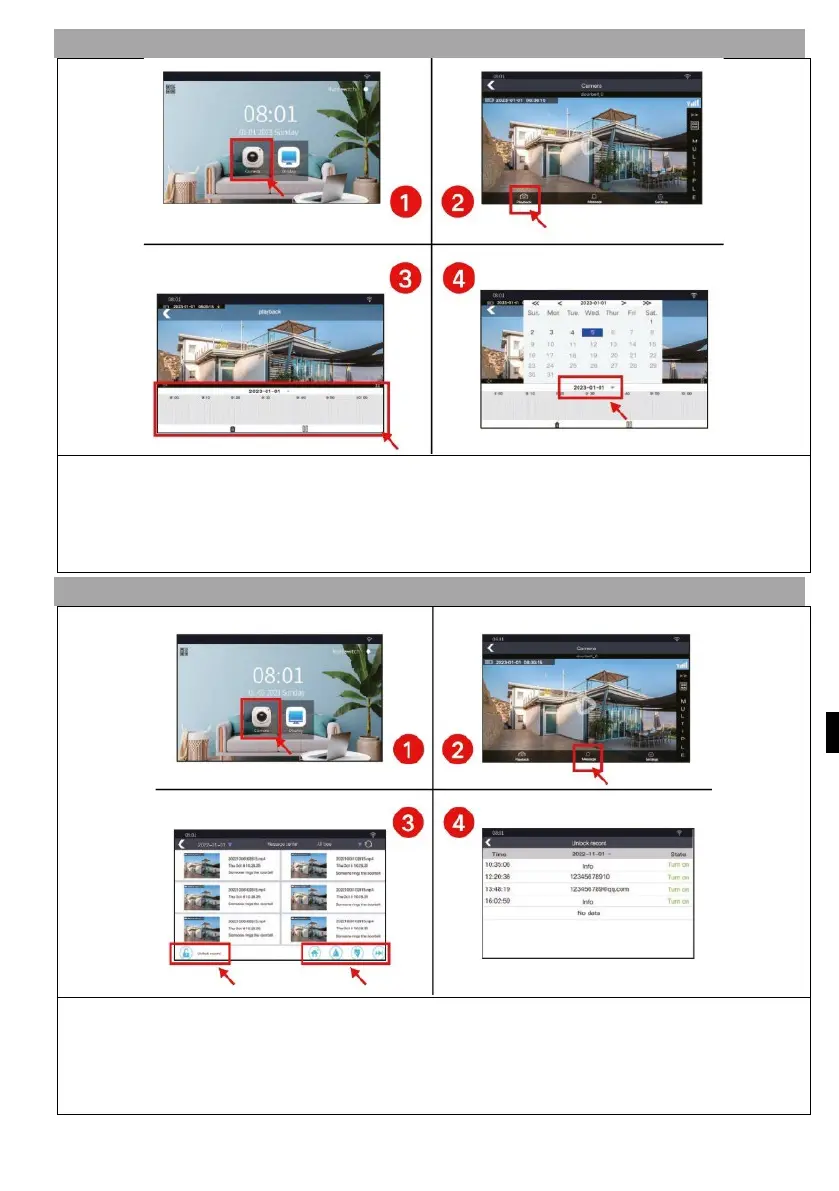
3) PLAYBACK
1) Press the "Camera" button to enter the camera interface
2) Press the "Playback" button to enter the playback interface
3) Drag the timeline to view the video.
4) Select the time to view the video
4) NEWS
1) Press the "Camera" button to enter the camera interface
2) Press the "Message" button to enter the message interface
3)
V
ideo Control Panel
4) Press the "Unlock Record" button to check the unlocked records.


 To Next Page
 Loading...

