64
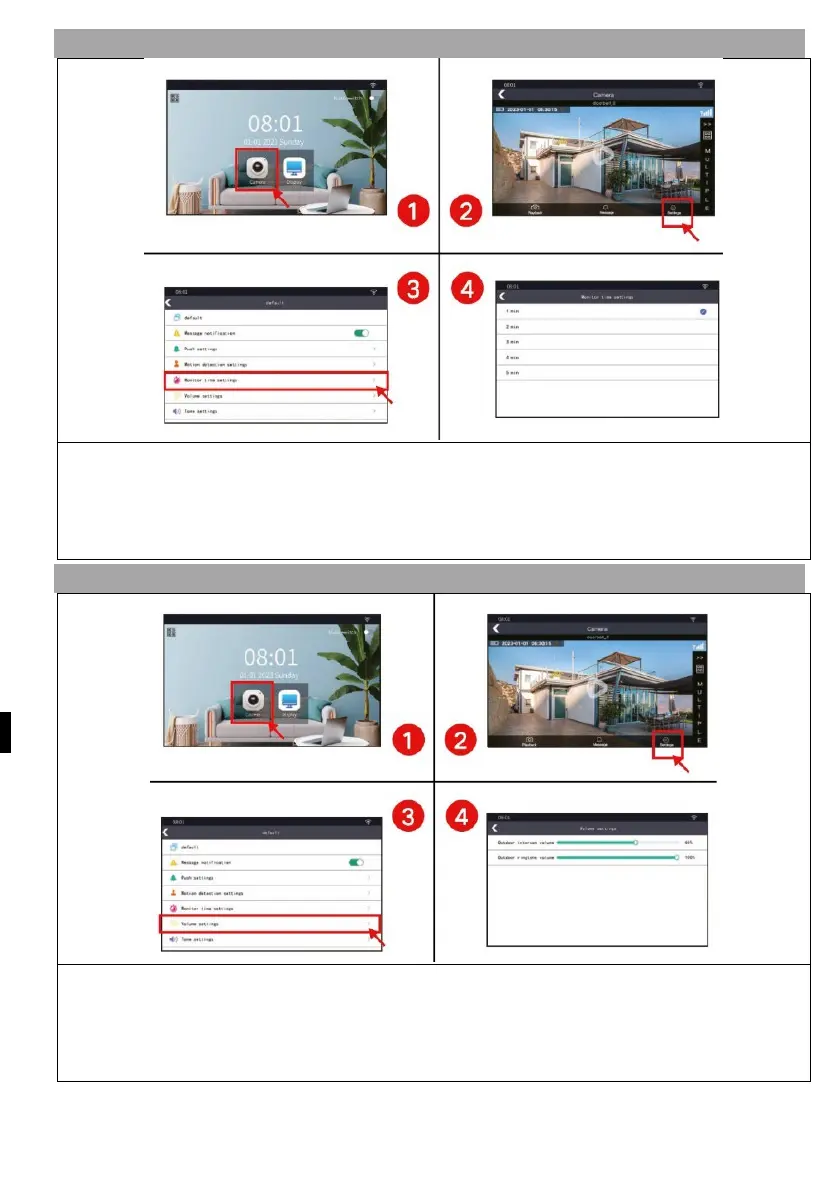
5) SETTING THE LENGTH OF TRACKING
1) Press the "Camera" button to enter the camera interface
2) Press the "Settings" button to enter the settings interface
3) Select the setting" "Time tracking
4) Set the tracking time according to your needs
6.1) RINGER VOLUME SETTING
1) Press the "Camera" button to enter the camera interface
2) Press the "Settings" button to enter the settings interface
3) Press the "Volume adjustment" button.
4) Adjust the intercom volume and ringer volume as required


 To Next Page
 Loading...

