65
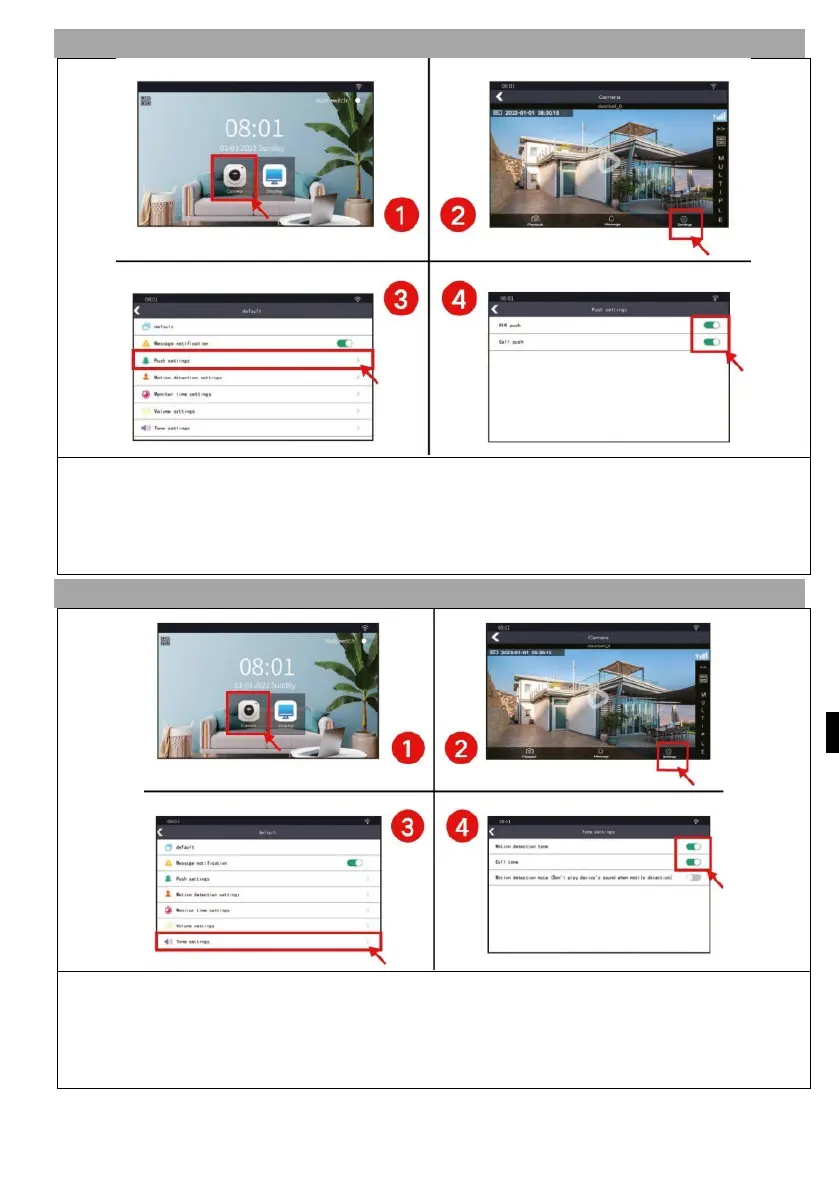
7) NOTIFICATION SETTINGS
1) Press the "Camera" button to enter the camera interface
2) Press the "Settings" button and go to the settings interface.
3) Press "Push setttings".
4) Turn on or close PIR or CALL notifications as required.
8) TONE SETTING
1) Press the "Camera" button to enter the camera interface
2) Press the "Settings" button and go to the settings interface.
3) Press the "Tone settings" button.
4) Turn the motion detection and call tone on or off as needed.


 To Next Page
 Loading...

