66
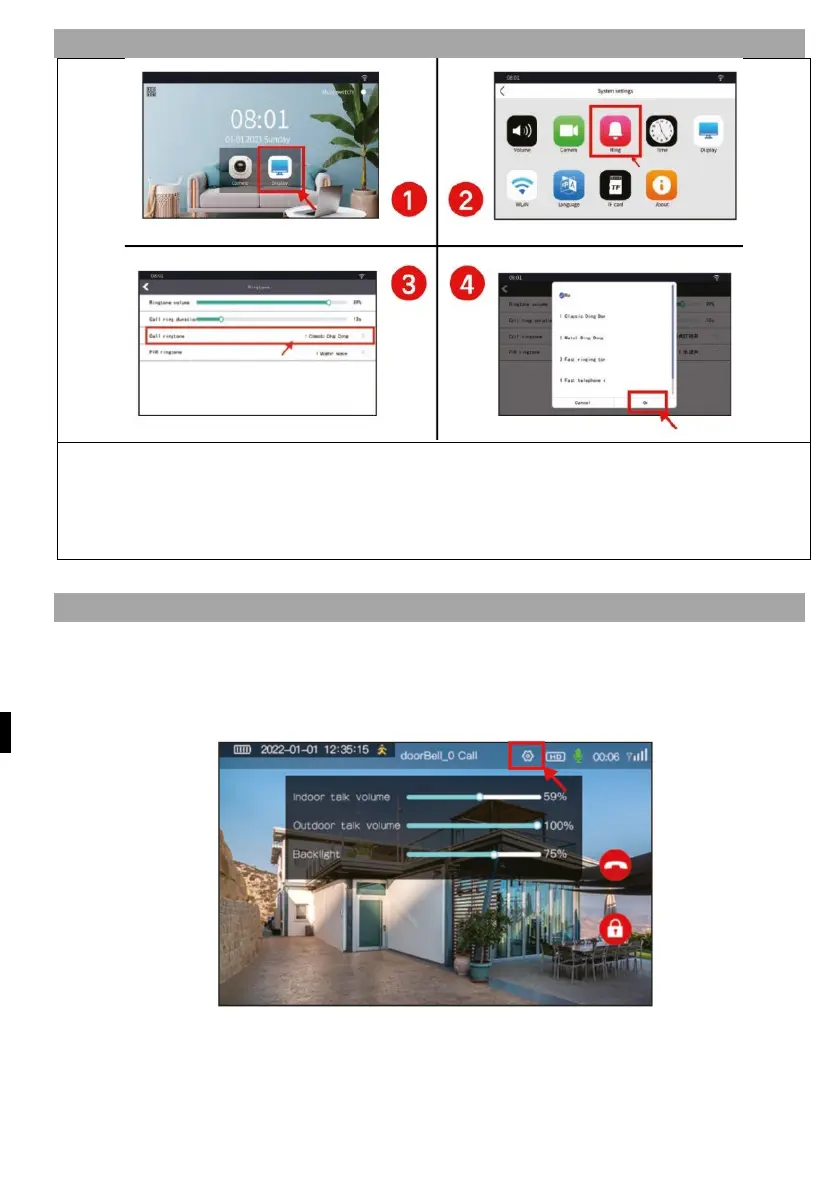
9) SETTING THE RINGTONE ON THE INTERNAL SCREEN
1) Press the "Display" button to access the display setup interface.
2) Press the "Ring" button to enter the ring tone setting interface
3) Setting the volume and length of call ringtones and PIR
4)
S
elect a ringtone as required
10) INTERKOM MEZI MONITOREM A ZVONKEM
Press the screen to go to the camera interface, then press the PLAY icon to see live
video from the outdoor environment. Press the ANSWER button to activate the
microphone and speak to the person in front of the Bell.
I
f a visitor calls from the outdoor camera, the indoor screen rings and displays a live
image. When the call is answered, the microphone icon appears on the top screen
and you can talk to the visitor.


 To Next Page
 Loading...

