Local
【Local】Function
Before using mobile APP's【Local】function, ensure camcorder WiFi
is on and camcorder Cloud setting is off. Once WiFi is ready, preview
shows camcorder name (R2-xxxxxxxx) for few seconds.
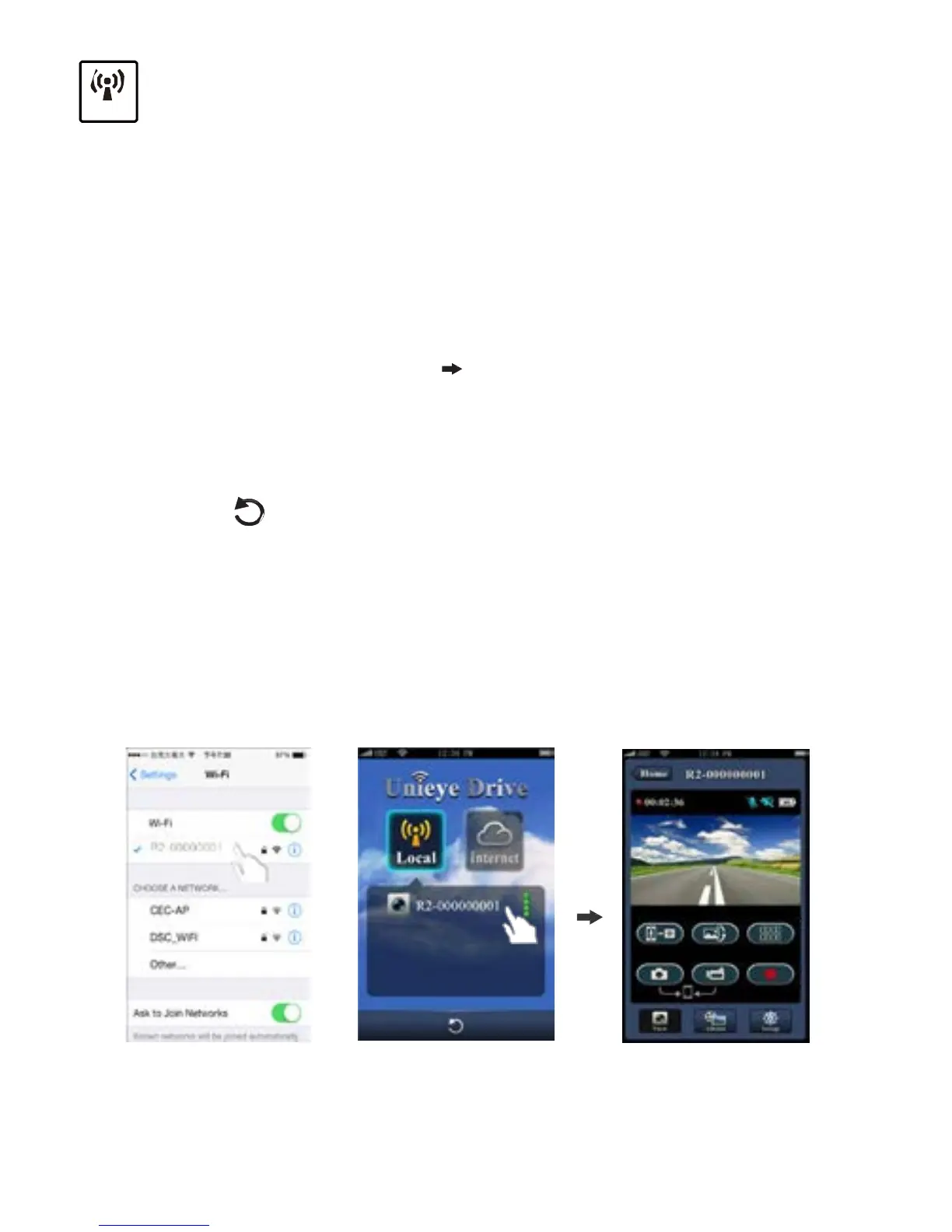
Mobile Connects to Camcorder
1.
For Android: Turn on [Wi-Fi].
For iOS:
Go to [Settings] [Wi-Fi].
Turn on [Wi-Fi] and select the camcorder name.
2. Run [Unieye Drive].
3.
Tap【Local】and select the camcorder to enter【Local】View
Page. Tap [ ] to scan again if camcorder is not found.
Note:
•
Mobile cannot connect to camcorder while camcorder is recording.
• For first use, password is not required. User can set camcorder
password in Setup Page.
iOS Settings
Local Main Page Local View Page
8
|
English



 To Next Page