AirKey system manual version 2.7 |
06/03/2024 | Subject to technical changes and misprints
> Log in to your access control system and ensure the coding station is connected and
has been selected in the AirKey Online Administration.
> Place the locking component on the coding station.
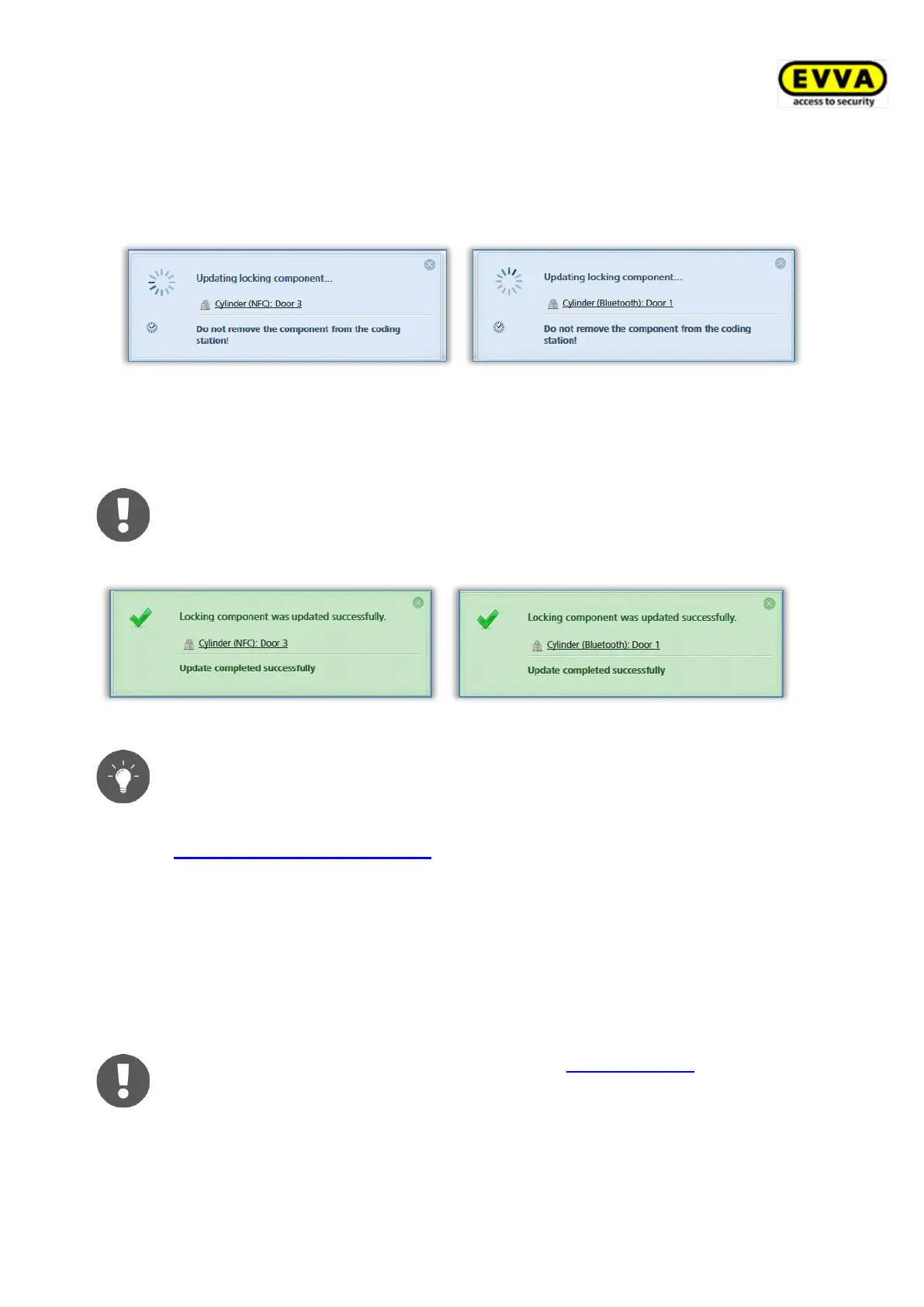
Figure 261: Updating locking components using coding stations
> Only remove the locking component from the coding station once the update has
completed and the confirmation prompt appears, indicating a successful update.
The information shown in the message indicating successful completion
varies depending on whether the locking component is in your own or in an
external access control system.
Figure 262: Locking components updated using coding stations
Regularly update your locking components. This is the only way to ensure
your access control system remains secure and up to date.
8.2 Updating smartphones: See chapter 6.10
8.3 Updating media
You can update any AirKey medium, regardless of its association to an access control
system. You can update with Android smartphones or optionally available coding stations.
Updates with the smartphone merely require the installed AirKey app and registration in an
access control system.
With iPhones apply the process described in Encoding media to update
media and use a locking component as the coding station.
> Select the Connect to component icon in the top right of the AirKey app when
using an Android smartphone.


 To Next Page
 Loading...