In addition, you can change the release duration and activate or deactivate the
"Update after each unlocking" function. Please also refer to Default values (for all
recently added locking components).
In addition, the Hands-free mode can be allowed or not allowed for the individual
locking component. If the Hands-free mode is allowed, the Hands-free mode can be
activated for this locking component within the AirKey app. Otherwise, it cannot be
activated in the app for this locking component. Details about the Hands-free mode
can be found in the chapter Hands-free at a glance.
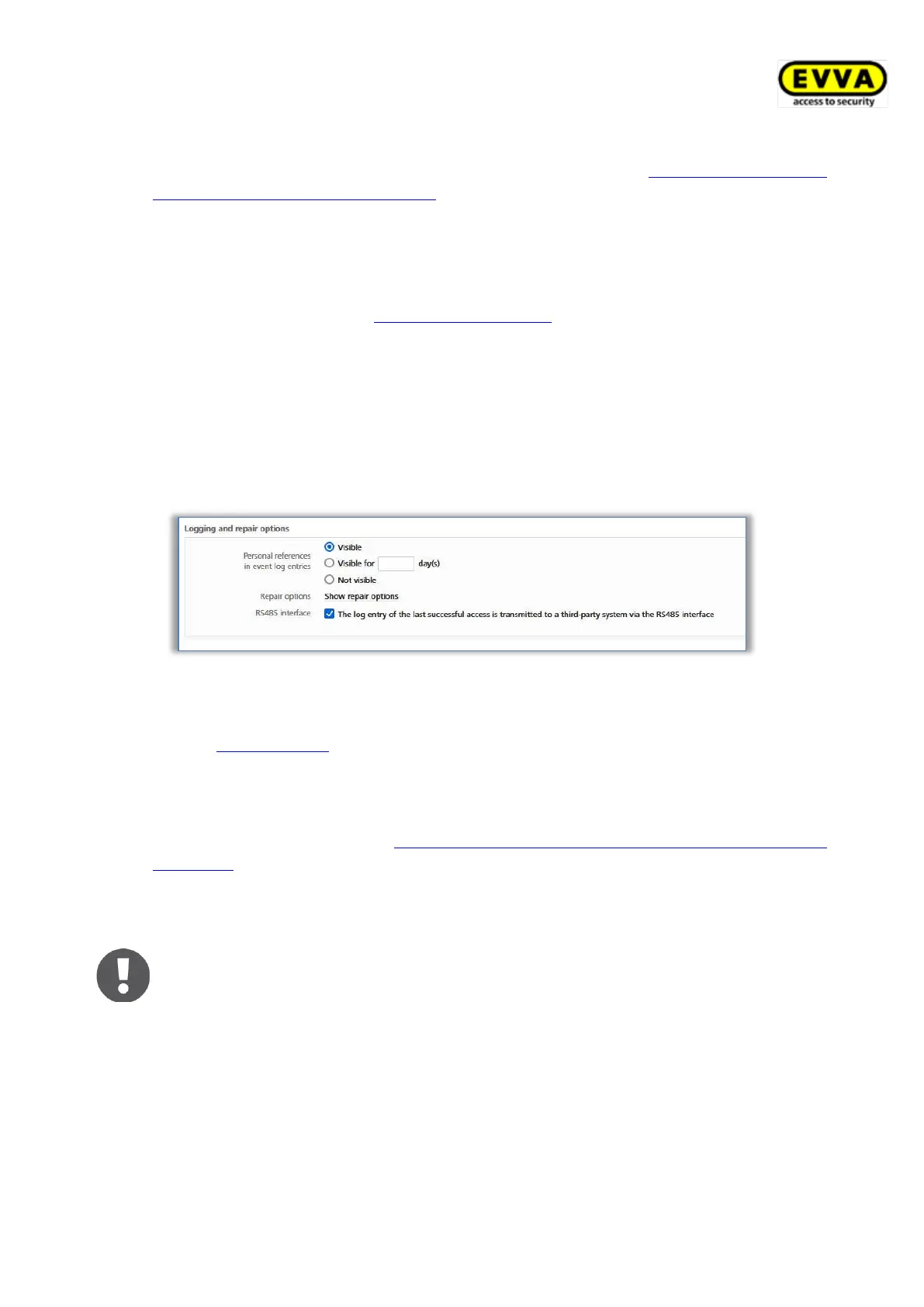
> You can adapt the logging of personal data in event log entries for each locking
component. The default settings are used as standard.
• Visible permanently switches on the displaying of personal data for access events.
• Visible for ... days renders personal data for access events anonymous after the
defined number of days.
• Not visible immediately renders all personal data for access events anonymous.
Figure 145: Event logs
> This section provides the link to the repair options. You can find further details in the
chapter Repair options.
> Compared to all other locking components, Bluetooth wall readers also offer the
option to activate the RS485 interface. The log entry of the last successful access
can be forwarded to a third-party system via the RS485 interface. You can find
further details in the chapter Technical details for the RS485 interface of Bluetooth
wallreader.
> Click Save to confirm any changes to the locking component. A confirmation prompt
subsequently appears.
A maintenance task for this locking component may appear depending on
the locking component data you edited. The changes are accepted and the
maintenance task disappears after having updated the locking component
using a smartphone with maintenance authorisation or a coding station.
5.5.4 Removing locking components
You can remove locking components from your access control system if you no longer
require them in your access control system.
> On the Home screen, select the Cylinders or Wall readers tile.


 To Next Page
 Loading...