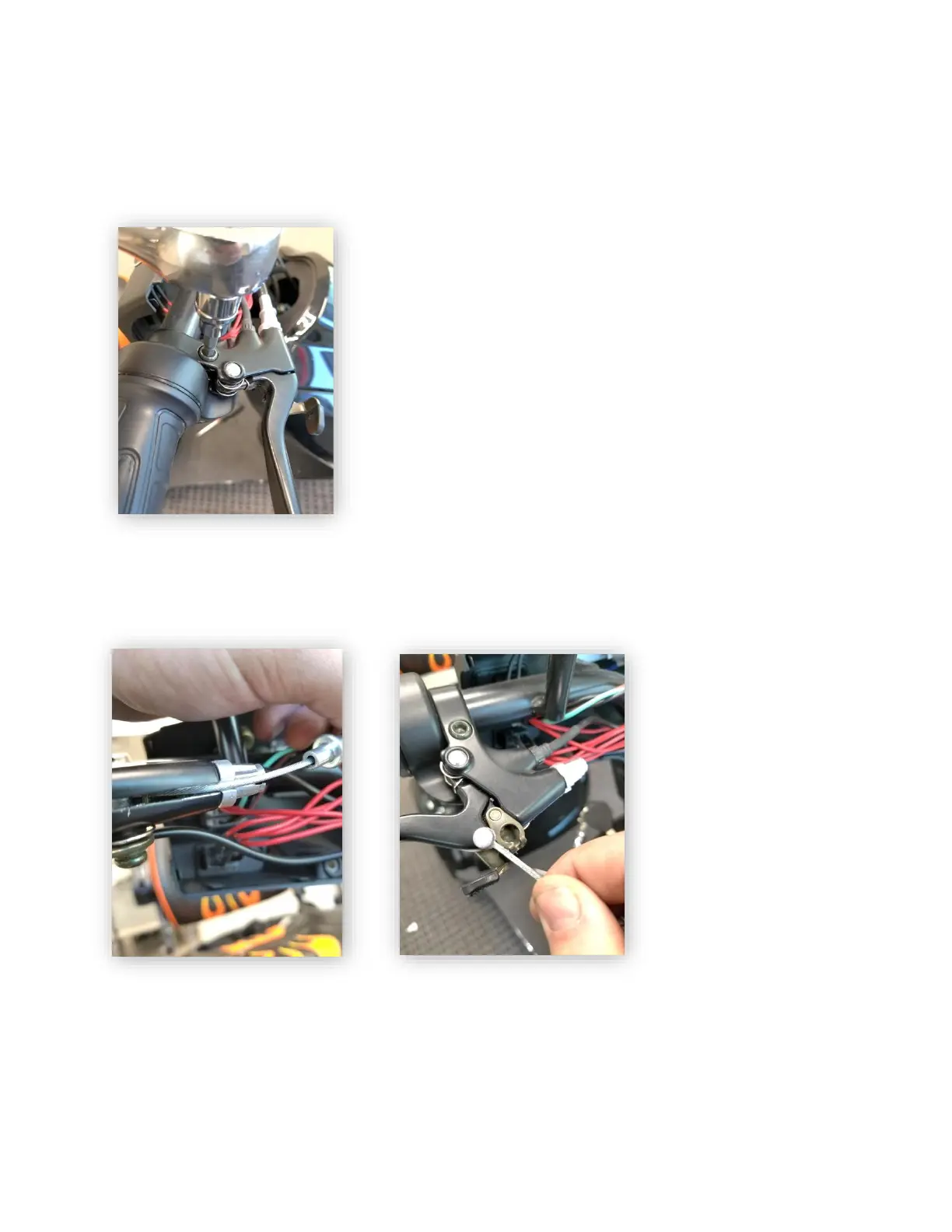
Right (Front)Brake Handle Replacement – To replace the right
brake handle, start by removing the headlight shroud. Once
removed, separate the brake handle’s electrical connector. Once
separated, remove any tension from the brake line by taking off
the adjustment nut on the opposite end of the brake cable. Then,
remove the cable from the brake handle as demonstrated in the
photos below.
Left Brake Handle
Replacement - To
replace the left brake
handle, start by
removing the headlight
shroud. Once removed,
take of the securing nut
and bolt. Both the nut
and the bolt are 10MM.



 To Next Page