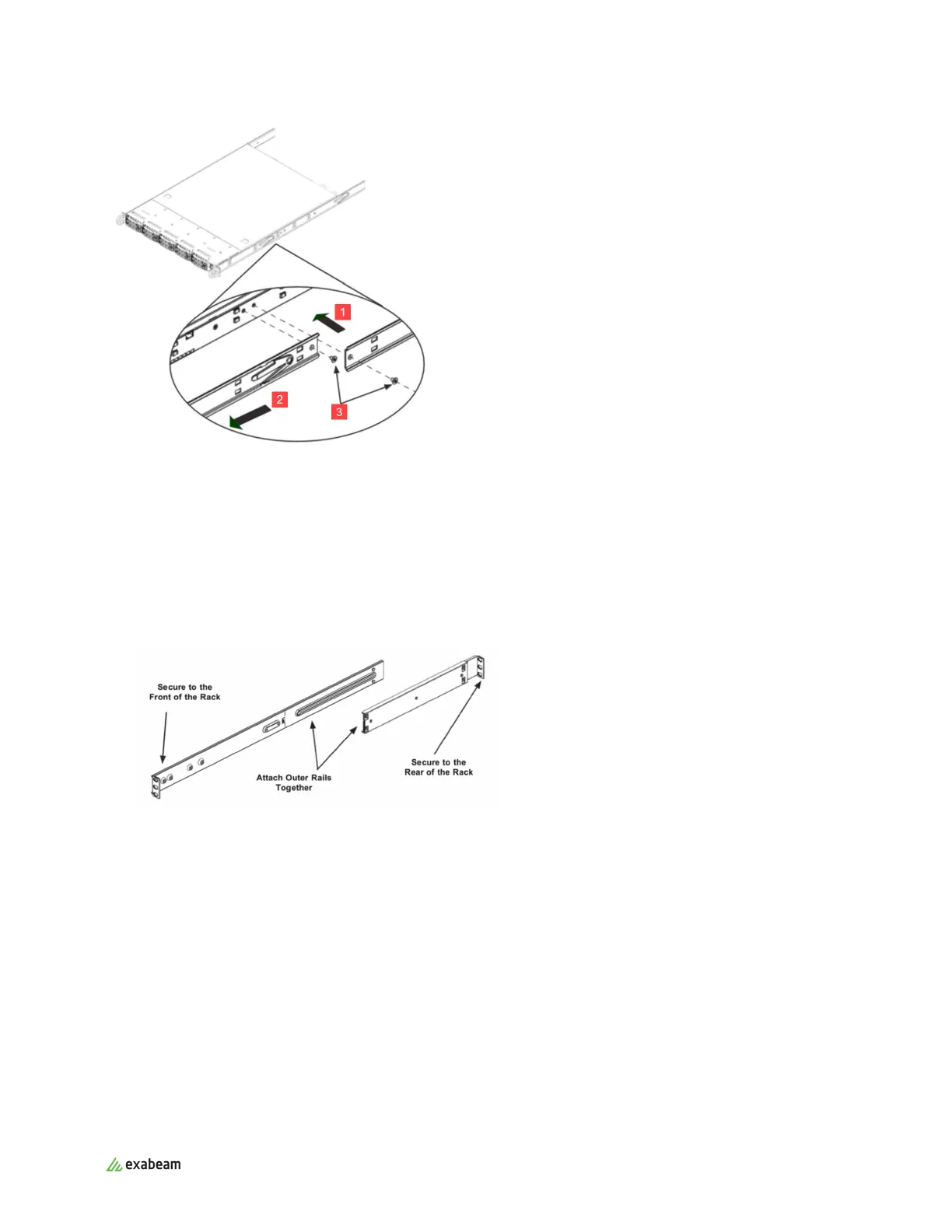
2.3. Install Outer and Middle Rails
Install the outer and middle rails by following the steps for your appliance type before you install the
chassis.
For EX2003 and EX4003
1. Attach the shorter outer rail to the outside of one of the longer outer rails. You must align the pins
with the slide, and both bracket ends must face the same direction.
2. Adjust both the shorter and longer rails to the proper distance by using the sliding adjustment so
that the rail fits snugly into the rack.
3. Clip in, and then secure the long bracket to the front side of the outer rail with two M5 screws, and
the short bracket to the rear side of the outer rail with three M5 screws.
Rack Mounting Instructions
Exabeam Appliance Setup Guide - Version SMP 2019
Published Mar 15, 2021 9



 To Next Page