~ 14 ~
© 2013 VAN OS MEDICAL UK Ltd., Excel House, Escrick Business Park, Escrick,
York,YO19 6FD Tel. +44-(0)1904-720170, Fax +44-(0)1904-720398,
E-mail: sales@vanosmedical.com,
www.vanosmedical.com
Adjusting the height of the footrest
Remove the footrest from the wheelchair;
Turn the footrest with the back side towards you;
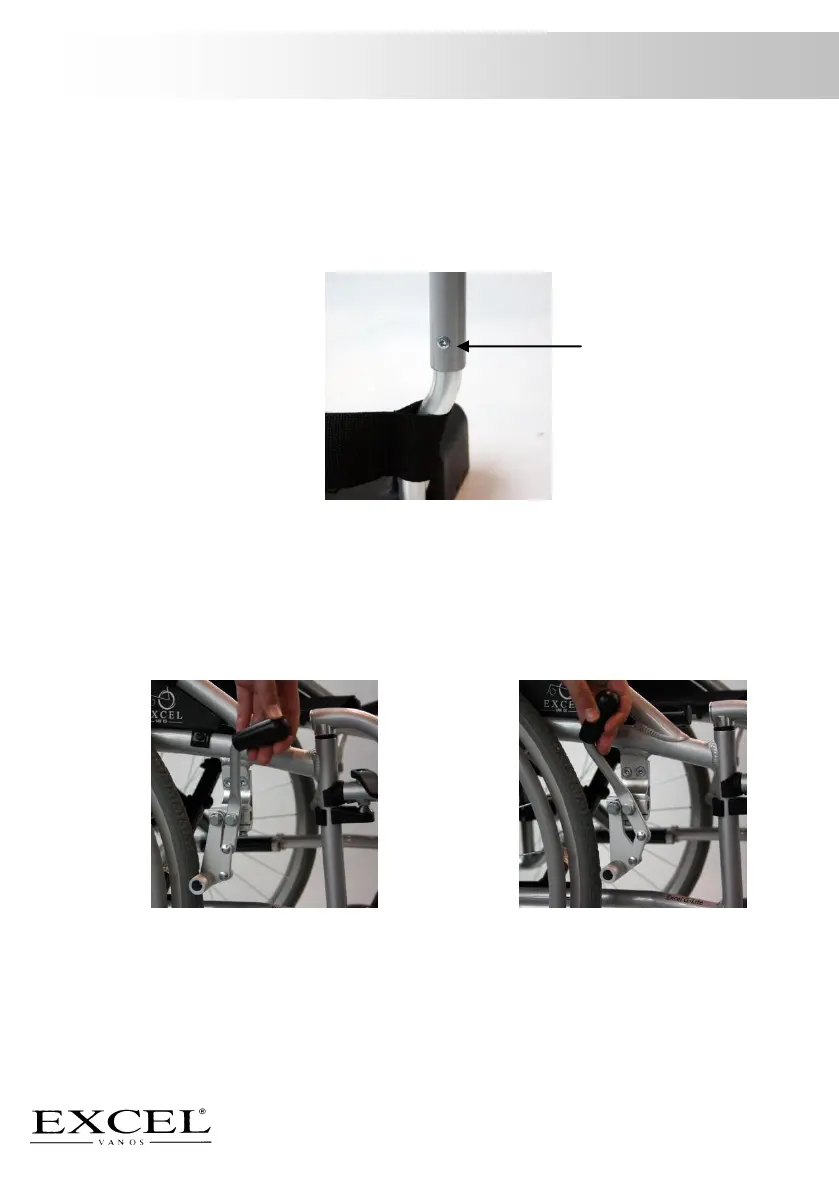
Loosen the allen, picture 7;
Move the footrest tube up and down to the desired height;
Tighten the allen firmly;
Make sure the footplate is in place and that the length is equal on both sides.
5.4 Use of the brake
Activate the brake
Grasp the black handle of the brake;
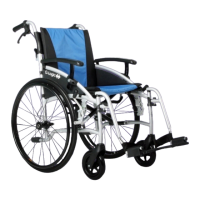
Push the lever forward, picture 8;
When you hear a click, this confirms that the brake is activated.
De-activate the brake
Grasp the black handle of the brake;
Pull the handle towards you to de-activate the brake, picture 9.



 To Next Page