© 2013 VAN OS MEDICAL B.V., Koperslagerij 3, 4651 SK, Steenbergen, The Netherlands
Tel. +31-(0)167-573020, Fax +31-(0)167-573381, E-mail: info@vanosmedical.nl,
www.vanosmedical.nl
Your scooter is equipped with either an off-board charger. To ensure maximum life
charge your batteries as described below:
Turn off the power of the scooter;
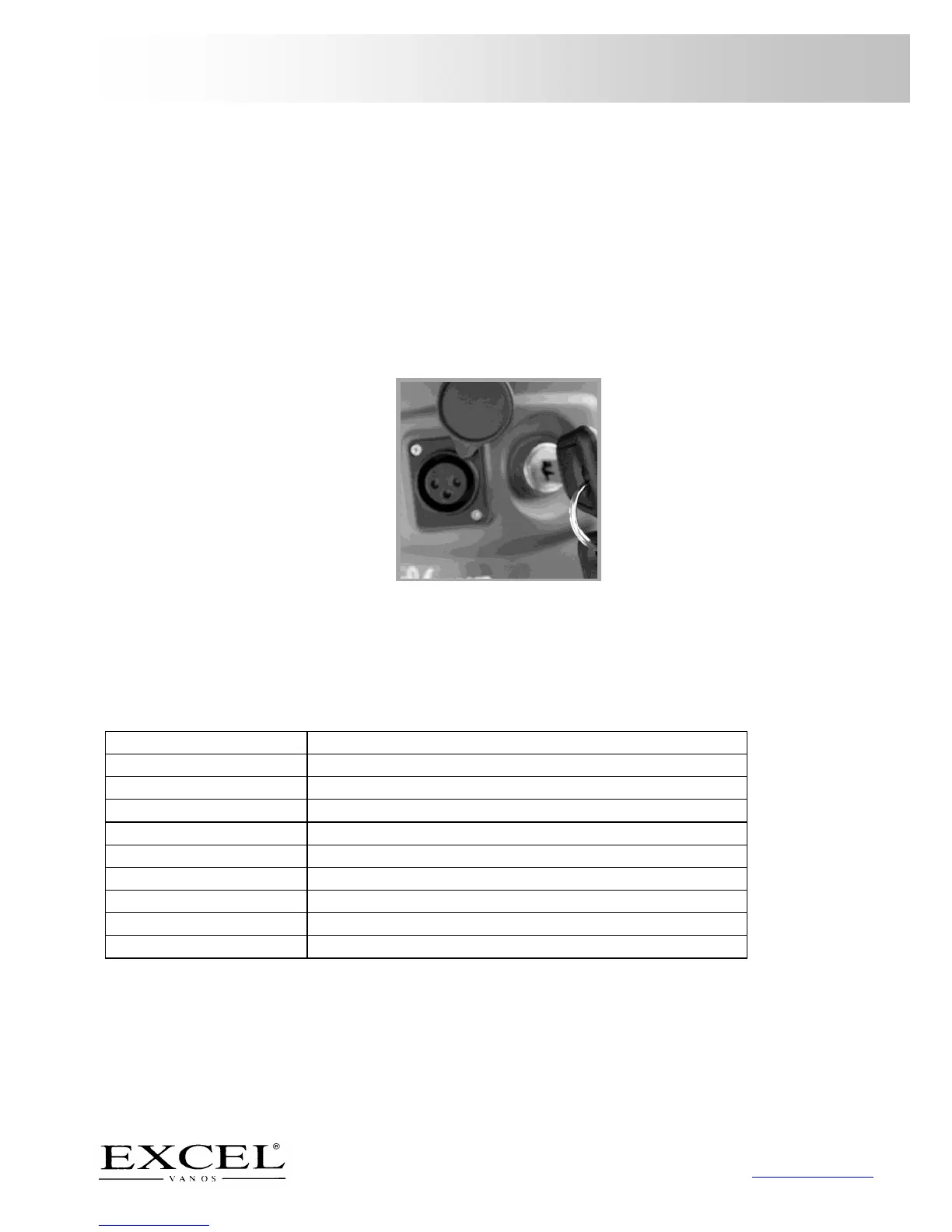
Slide away the cover of the battery socket at the driving position of the tiller
and insert the battery charger in the socket;
Put the charger into the outlet;
Do not switch on the battery charger until all the plugs are in position;
The led light of the battery will be amber while charging;
The led light will turn green when the batteries are fully charged;
If you are not going to use the scooter for more than a week, fully charge the
batteries and then disconnect them from the scooter.
Picture 9
8 PROBLEM ANALYSIS AND SOLUTIONS
Your Excel Galaxy Plus scooter is inspected and adjusted so that you can use it
immediately.


 To Next Page