III. USER Operation instructions (U0~U4):
Select USER 0, USER 1, USER2, USER 3, USER 4:
The message reads “U0” until a selection is made. By pressing ▲ or ▼ button to
choose from “U0 ~U4”.
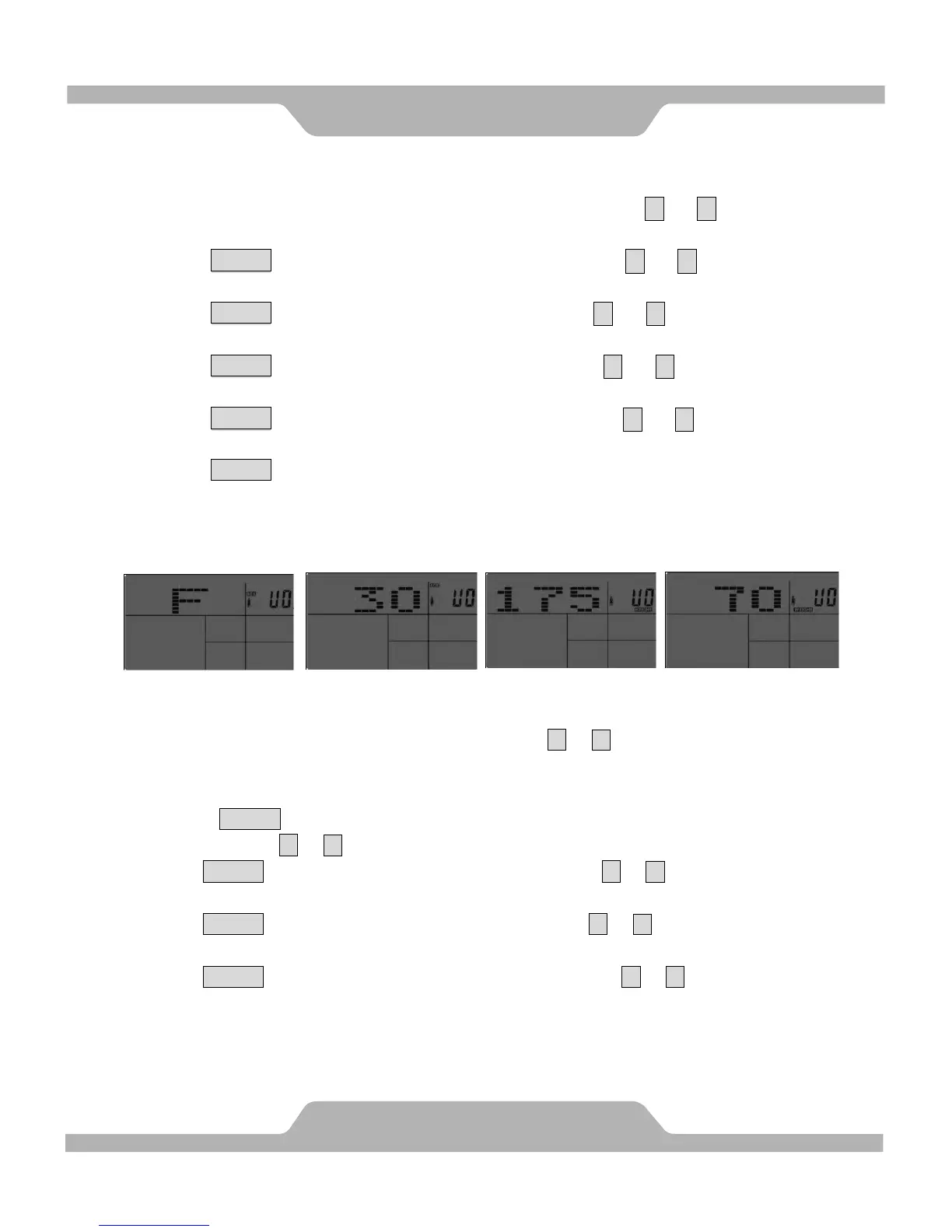
1. Press ENTER button to accept “U0~U4”. By pressing the ▲ or ▼ button to adjust
the SEX (FEMALE/MALE).
2. Press ENTER button to accept SEX. By pressing the ▲ or ▼ button to adjust the
AGE value.
3. Press ENTER button to accept AGE. By pressing the ▲ or ▼ button to adjust the
HEIGHT (H.t) value.
4. Press ENTER button to accept HEIGHT. By pressing the ▲ or ▼ button to adjust the
WEIGHT (W.t) value.
5. Press ENTER button to accept WEIGHT, and into choose program
instructions.
IV. Program operation instructions:
In the choose program instructions, by pressing the ▲ or ▼ button to adjust the profiles
and it can be set the circle (select programs):
MANUAL→PROGRAM→FITNESS→WATT→PERSONAL→H.R.C. →RANDOM
1. If Press ENTER button to accept MANUAL
By pressing the ▲ or ▼ button to adjust the LEVEL(1-24).
Press ENTER button to accept LEVEL. By pressing the ▲ or ▼ button to adjust the
TIME value.
Press ENTER button to accept TIME. By pressing the ▲ or ▼ button to adjust the
DISTANCE value.
Press ENTER button to accept DISTANCE. By pressing the ▲ or ▼ button to adjust the
CALORIES value.
COMPUTER
21
SEX
AGE
HEIGHT
WEIGHT


 To Next Page