EasyManua.ls Logo

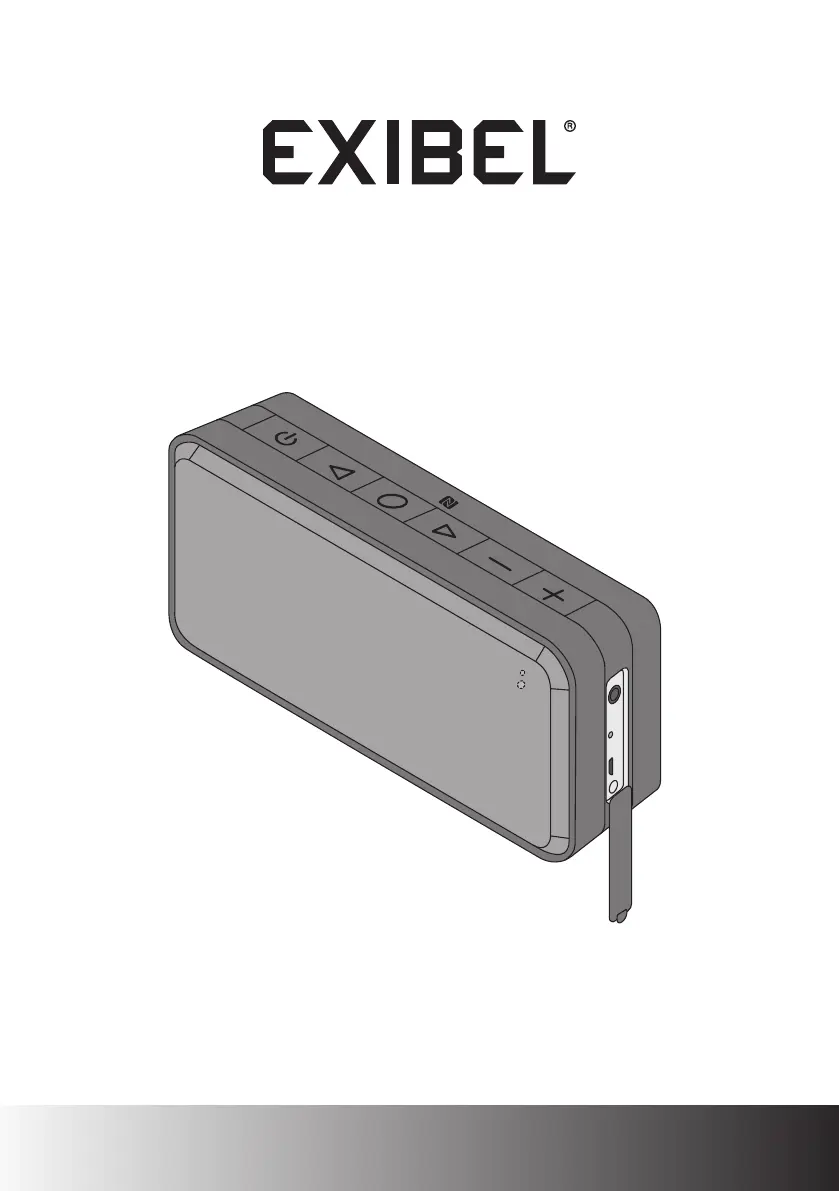
Exibel BNX100 - User Manual

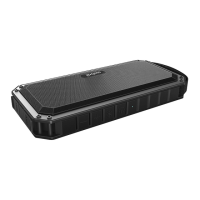
Exibel BNX100
32 pages
Print Icon
To Next Page IconTo Next Page
Loading...
Bluetooth-högtalare · Bluetooth-høyttaler
Bluetooth-kaiutin · Bluetooth-Lautsprecher
Ver. 20151005
English 3
Svenska 9
Norsk 14
Suomi 19
Deutsch 24
Bluetooth Speaker
Art.no. Model
38-6804, 38-6805, 38-7293 BNX100

Questions and Answers

  • M
    mitchellsmithAug 3, 2025
    What to do if there is no sound from Exibel BNX100 via Bluetooth/NFC?
    • W
      William HallAug 3, 2025
      If you're not getting any sound from your Exibel Speakers when connected via Bluetooth/NFC, there are several things to check: * Ensure the volume and play/pause status are correctly set on both the external device and the speaker. * Verify that the Bluetooth/NFC connection is working correctly. * Test the file playback on the Bluetooth device itself before connecting to the speaker. * Try a different file, as the current one may be incompatible or damaged. * Make sure no other wireless devices are interfering with the Bluetooth connection.
  • P
    Paul LawrenceAug 9, 2025
    How to fix Exibel Speakers that will not switch on?
    • F
      ferrelltammyAug 10, 2025
      If your Exibel Bluetooth speaker won't switch on, the battery might be flat. Recharge the battery.
  • J
    jamie43Aug 18, 2025
    What to do if there is no sound from Exibel Speakers connected via the 3.5 mm aux-in socket?
    • U
      ubeanAug 18, 2025
      If you're experiencing a lack of sound from an external device connected to your Exibel Speakers via the 3.5 mm aux-in socket, consider the following: * Check the volume level on both the connected device and the speaker to ensure it is sufficiently high. * Verify the play/pause button on the connected device is not paused. * Inspect the cable connecting the device and the speaker to ensure it is undamaged and securely connected. * Test the playback of the file on the device itself before connecting it to the speaker. * Try using an alternative file to rule out incompatibility or damage to the original file.
  • S
    singhkyleAug 26, 2025
    How to reset Exibel BNX100 Speakers to factory settings?
    • C
      Christopher NicholsAug 26, 2025
      If troubleshooting steps haven't resolved the issue, you might need to reset your Exibel speaker to its factory settings. To do this, turn the speaker on and simultaneously press the [ - ] and [ + ] buttons to initiate a factory reset.

Summary

Safety Precautions

General Safety Guidelines

Covers safe usage for children, general handling, and environmental conditions, including fire and electric shock risks.

Buttons and Functions Overview

Button and Indicator Identification

Details of each button and indicator on the speaker, including power, volume, playback controls, and LED status.

Operation and Connectivity

Charging and LED Indicators

Explains how to charge the speaker and interpret charging and LED status indicators for battery and connection.

Bluetooth Device Pairing

Step-by-step guide for pairing and connecting the speaker via Bluetooth, including PIN code information.

Aux-in Connection

Instructions for connecting audio devices using the 3.5 mm aux-in socket for wired audio playback.

Advanced Features and Care

NFC Pairing and Call Handling

Guide to NFC connection, powering off the speaker, and managing incoming calls via Bluetooth.

Speaker Maintenance

Advice on cleaning the speaker, its water resistance rating, and battery maintenance for longevity.

Troubleshooting and Disposal

Troubleshooting Common Issues

Common issues and their solutions for speaker operation, connectivity problems, and factory resets.

Product Disposal Guidelines

Guidelines for environmentally friendly disposal of the product according to EU regulations.

Technical Specifications

Product Specifications Details

Details on output power, speaker impedance, battery capacity, Bluetooth version, range, IP rating, size, and weight.

Exibel BNX100 Specifications

General IconGeneral
TypePortable Bluetooth Speaker
Weight500 g
ConnectivityBluetooth
Power Output10W
Frequency Response100Hz - 20kHz
Impedance4 Ohm

Related product manuals