EasyManua.ls Logo

Exibel BX70 - User Manual

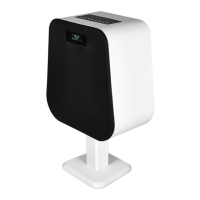
Exibel BX70
8 pages
Print Icon
To Next Page IconTo Next Page
Loading...
English
1
2
3
7
4
5
6
8
9
4h
OFF
2 s
Bluetooth
Devices
exibel BX70
2 s
2 s
ON
Ver. 2023126
Bluetooth-speaker
Art.no 39-2656-1/2 Model BX70
Please read the entire instruction manual before using the
product and then save it for future reference. We reserve the
right for any errors in text or images and any necessary changes
made to technical data. In the event of technical problems or
other queries, please contact our Customer Services.
Safety
Protect your hearing. Listening on high
volume for prolonged periods can lead to
permanent hearing loss. Set the volume to a
low level before using the product.
Be careful when using the product if it poses
a possible danger to yourself or others
due to your inability to clearly hear your
surroundings.
Never subject the product to high temperature,
dust, heavy vibration, or impacts.
Do not place the product in continuous
sunlight or near naked flames.
Never attempt to tamper with or modify the
product in anyway.
Never let the battery charge for extended
periods when it is not inuse. Discontinue
charging during thunderstorms.
Turn off both the product and mobile phone
in areas where you are requested to do so,
such as in hospitals, aircraft or areas where
there is a risk of explosion.
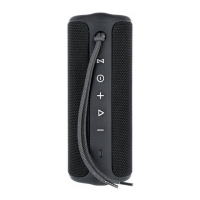
1. Carry strap anchor point
2. [
] Hold to pair.
3. Battery charge status
indicator
4. [
] Hold for 2 seconds to
turn the speaker on/off.
5. [
+
] Press to raise the
volume, hold in to change to
the next track.
6. [
-
] Press to lower the
volume, hold in to change to
the previous track.
7. Status indicator
8. [
] Press to start and
pause music playback.
Press to answer or end
a call. Hold to reject an
incoming call.
9. [DC 5V] USB-C port for the
included charging cable
Off
Hold [ ] for approximately 2 seconds.
Buttons and functions
Operating instructions
On/off button
On use with a previously paired external device
Hold [ ] for approximately 2 seconds. Thespeaker will
automatically connect
1. Switch the speaker on by holding in [
].
2. Hold in [
] until the LED indicator starts flashing blue.
The speaker is now detectable for other Bluetooth devices.
3. Activate Bluetooth on the device to be paired and begin
scanning for the speaker. When the speaker has been found
bythe Bluetooth device it will appear as exibel BX70.
4. Select the speaker from the list. Once a connection has been
established the LED indicator will shine with a fixed blue light.
5. Start playback on your device. Adjust the volume and control
playback from the Bluetooth device or directly on the speaker.
Note!
The speaker will automatically connect to the device it was
connected to last (provided that Bluetooth mode is activated
on your device).
If you want to connect another device, follow the same steps
1−5 above.
Charging
Charge thebattery for 4 hours before using thespeaker for
thefirst time.
1. Connect the included charging cable to the USB-C port and
to a USB-charger or computer.
2. TheLED indicator (3) shines orange when charging is
in progress.
3. The LED indicator turn off once thebattery is fully charged.
On to use the earphones with a new external device
Follow theinstructions in theBluetooth connection section.
Bluetooth-anslutning

Question and Answer IconNeed help?

Do you have a question about the Exibel BX70 and is the answer not in the manual?

Overview

The Exibel BX70 is a versatile Bluetooth speaker designed for robust outdoor use, offering a blend of audio performance, durability, and user-friendly features. This speaker is resistant to water and moisture, making it suitable for various outdoor environments.

Function Description:

The BX70 speaker features a comprehensive control panel for managing audio playback, calls, and device settings.

  • Power On/Off: The speaker can be turned on or off by holding the power button (marked with a circle) for approximately 2 seconds.
  • Bluetooth Pairing: To pair with a new device, hold the Bluetooth button (marked with a circle) until the LED indicator flashes blue, indicating it's ready for discovery. The speaker will appear as "exibel BX70" in the device list. Once connected, the LED will show a solid blue light. The speaker automatically reconnects to the last used device if Bluetooth is active on that device.
  • Audio Playback: The play/pause button (marked with a triangle) controls music playback. Volume can be adjusted using the '+' and '-' buttons. Holding the '+' button for 2 seconds skips to the next track, while holding the '-' button for 2 seconds goes to the previous track.
  • Call Management: The play/pause button also manages calls. Pressing it once answers or ends an incoming call. Holding it for 1 second rejects an incoming call.
  • Charging: The speaker is charged via a USB-C port. The LED indicator (3) glows orange during charging and turns off when fully charged. A full charge takes approximately 4 hours.
  • Light Effects: The speaker offers two different light effects, which can be toggled by repeatedly pressing the Bluetooth button.
  • Strap Attachment: The device includes a designated point for attaching a carrying strap.

Important Technical Specifications:

  • Bluetooth Version: 5.3
  • Output Power: -5 to 10 dBm
  • Frequency Response: 2402 – 2480 MHz
  • Range: Approximately 10 meters
  • Built-in Battery: Lithium-ion, 2500 mAh, 7.4 V
  • Charging Input: USB-C, 5 V DC, 2 A
  • Charging Time: Approximately 4 hours
  • Playback Time: Approximately 8 hours
  • IP Rating: IPX6 (resistant to water and moisture)
  • Speaker Output: 20W + 3W
  • Frequency Range: 80Hz - 20KHz
  • Dimensions: 188 mm, Ø 72 mm
  • Weight: 493 g

Usage Features:

  • Portability: With its compact dimensions and IPX6 rating, the BX70 is designed for easy transport and use in various outdoor conditions.
  • Intuitive Controls: The clearly marked buttons for power, Bluetooth, volume, and playback ensure straightforward operation.
  • Automatic Reconnection: The speaker's ability to automatically connect to the last paired device enhances user convenience.
  • Safety Guidelines: Users are advised to protect their hearing by starting with a low volume, avoid using the speaker in situations where external sounds are critical for safety, and prevent exposure to extreme temperatures, humidity, dust, strong vibrations, or direct sunlight/open flames. The product should not be modified. Charging should be interrupted during thunderstorms, and the device should not be left charging indefinitely when not in use. Both the speaker and mobile phone should be turned off in areas where mobile phone use is restricted or dangerous (e.g., hospitals, airplanes, or areas with explosion risk).

Maintenance Features:

  • Durability: The speaker's water and moisture resistance allows for outdoor use in various weather conditions.
  • Cleaning: The device should be cleaned with a lightly moistened cloth. Only mild cleaning agents should be used; harsh solvents or corrosive chemicals are to be avoided.
  • Battery Care: For prolonged storage, the battery should be fully charged every three months to maintain its capacity and lifespan.
  • Responsible Disposal: The product is marked with a symbol indicating it should not be disposed of with general household waste within the EU. It must be handed in for recycling to ensure proper material handling and prevent environmental and health hazards. Users should utilize local recycling facilities or contact the point of purchase for proper disposal.

The Exibel BX70 is a reliable and robust Bluetooth speaker, ideal for users seeking a durable audio solution for outdoor adventures, while also offering essential features for everyday use and easy maintenance.

Exibel BX70 Specifications

General IconGeneral
BrandExibel
ModelBX70
CategorySpeakers
LanguageEnglish

Related product manuals