8 Installation
Powerware
®
Plus 12 Operator's Manual (164200090 Rev E) "50
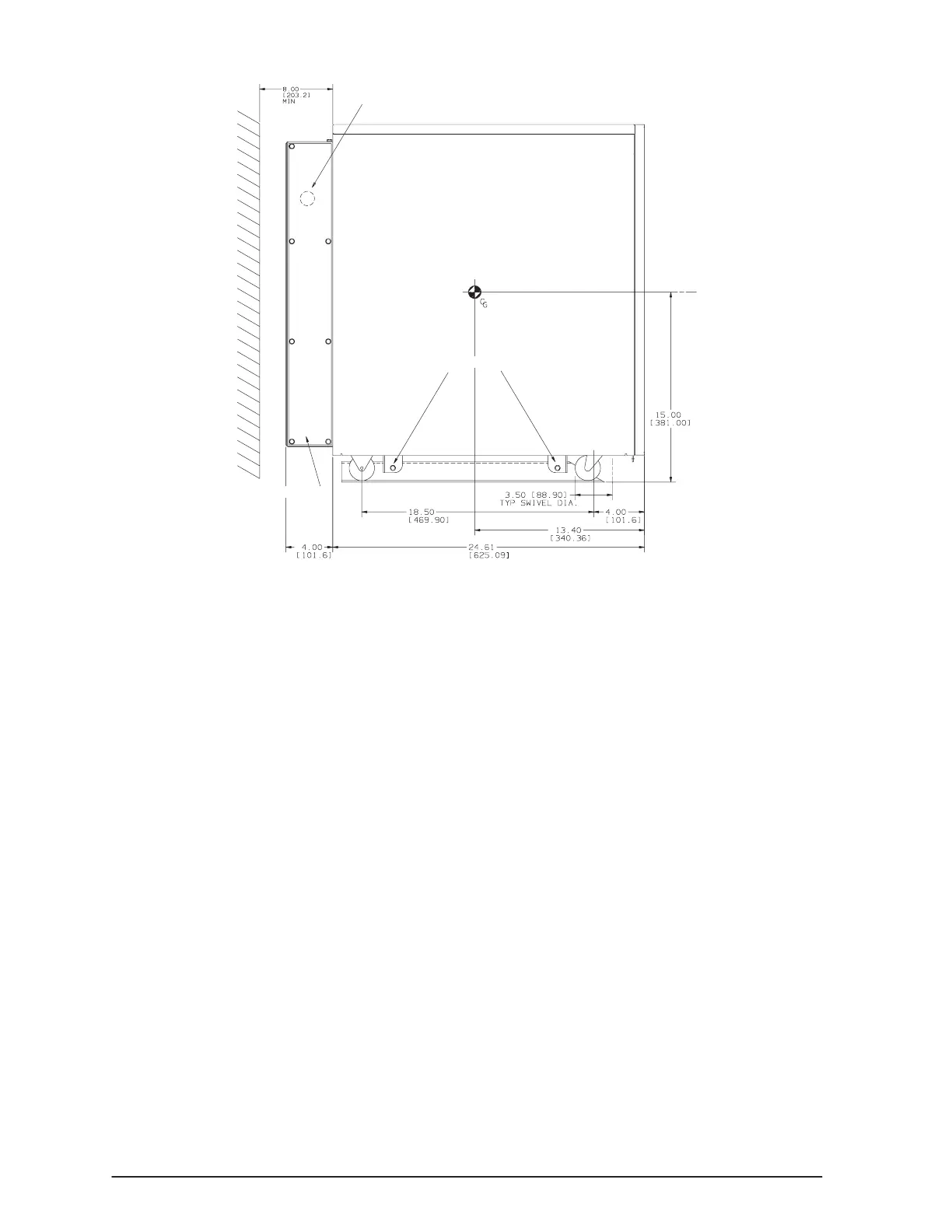
Service Plate
Remote Battery Knockout
Mounting Screws
Figure 23. Remote Battery Access
. Follow the wiring instructions in Electrical Installation" on page 42.
. Configure the Bypass and Input Configuration switches as described on
page 45.
. Continue to the following section, Remote Battery Configuration," to change
the UPS setup.
Remote Battery Configuration
After the remote battery has been installed, change the UPS setup. See Chapter 4,
UPS Startup and Shutdown," on page 21 before applying power to the unit for the first
time. Perform the following steps without removing the AC input power:
. Verify the system type.
. Press the Menu button. appears.
. Press the down arrow button until " appears.
Press the Select button. The prompt ! appears.
NOTE: The default password is MEMORY. It is recommended to change the
default password to ensure security (see page 13). Contact your field
service representative if you have misplaced your password.
. Enter the password using the up and down arrow buttons to scroll through the
letters. Use the right and left arrow buttons to move to another character
position.
. After you have entered the password, press the Select button. The display
now shows ".



 To Next Page