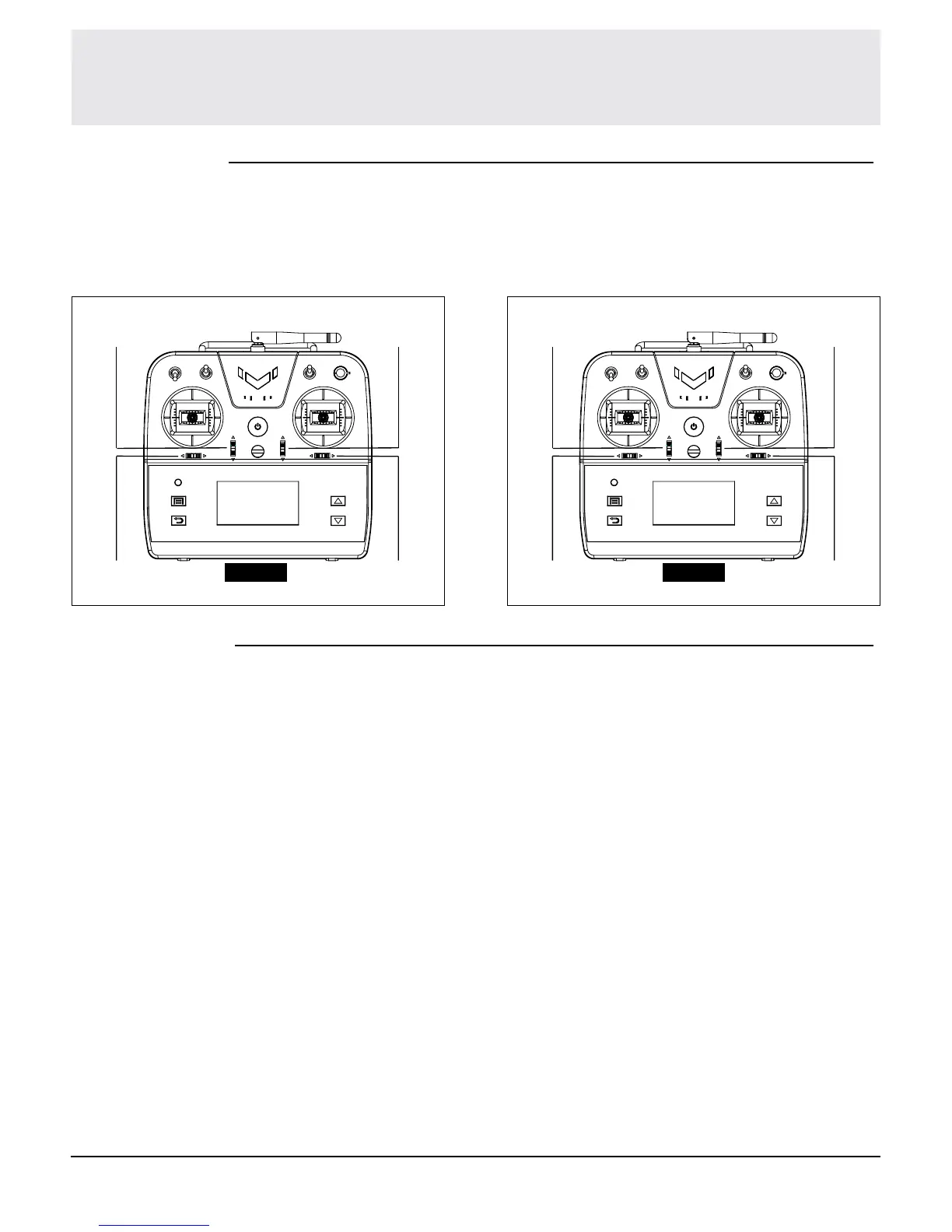
The EX7 comes with digital trims. Each time a trimmer is moved the servo output will
change one step. If the trimmer is held, the output will scroll in that direction until the
trimmer is released or the output reaches its end.
Digital Trims
Throttle
Trim
Throttle
Trim
Rudder
Trim
Rudder
Trim
Elevator
Trim
Elevator
Trim
Aileron
Trim
Aileron
Trim
Mode 2
CAUTION: Do not use too much sub-trim otherwise you may damage the servo.
NOTICE: After you nish setting of endpoint and return back to main menu, next time
when you enter endpoint function setting, it will remember the setting status you saved
last time.
Mode 1
Mixing Modes
Mixing modes allow you to mix several channels to be controlled together, changing
one channel to be a new functional channel.
EX7 comes with 3 different preset mixing modes. Follow below steps to set each
mode.
DUALAILE mixes channel 2 and channel 6. When controlling channel 2, channel 6 will
relatively react. Channel 2 only reacts to movement of stick, endpoint setting and sub-
trim setting. When you adjust endpoint or sub-trim setting of channel 2, it will apply to
channel 6 too.
ELEVON mixes channel 2 and channel 3. When controlling one channel, the other
one channel will relatively react.
V-TAIL mixes channel 3 and channel 4. When controlling one channel, the other one
channel will relatively react.


 To Next Page