User’s Manual
http://www.exoatletasia.com
ExoAtlet
Ⓡ
II 19 / 84 Ver 1.0 (2019.03.29.)
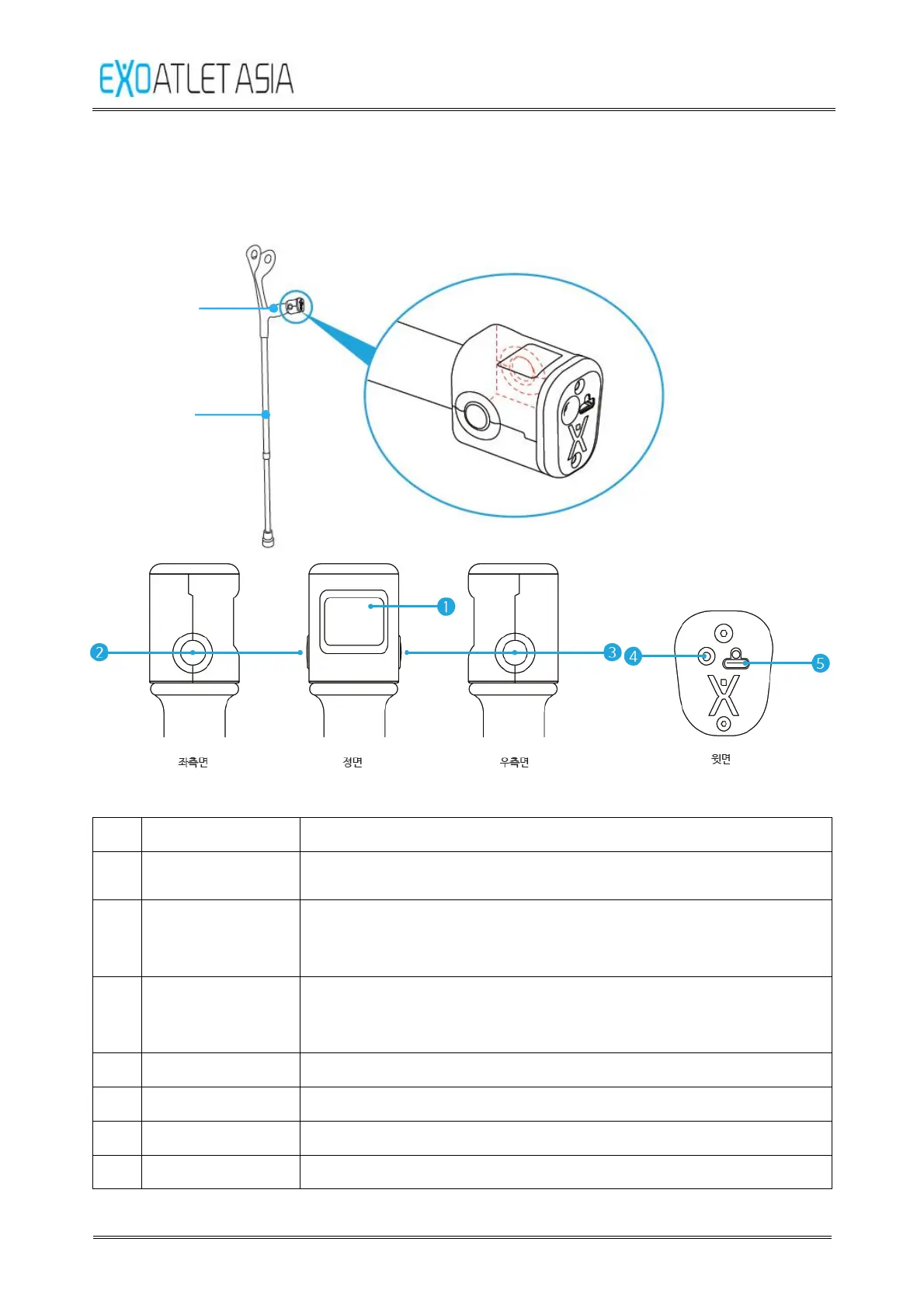
3.8.2. Remote control crutch
: A left / right 1 set is provided as a crutch for supporting the patient's body.
➐
➏
No. Name Function
1 display
product.
2
button(Left
button)
Button used to instruct the operation of the product or to
stop the device in operation.
3
button
(Right button)
Button to select the operation of the product.
4 Power button Button to turn on / off the product power.
5 Charge connector Port used to charge the product.
6 handle A handle that can be held by the user.
7 support fixture Supports to support the user's load or adjust the length.



 To Next Page