User’s Manual
http://www.exoatletasia.com
ExoAtlet
Ⓡ
II 56 / 84 Ver 1.0 (2019.03.29.)
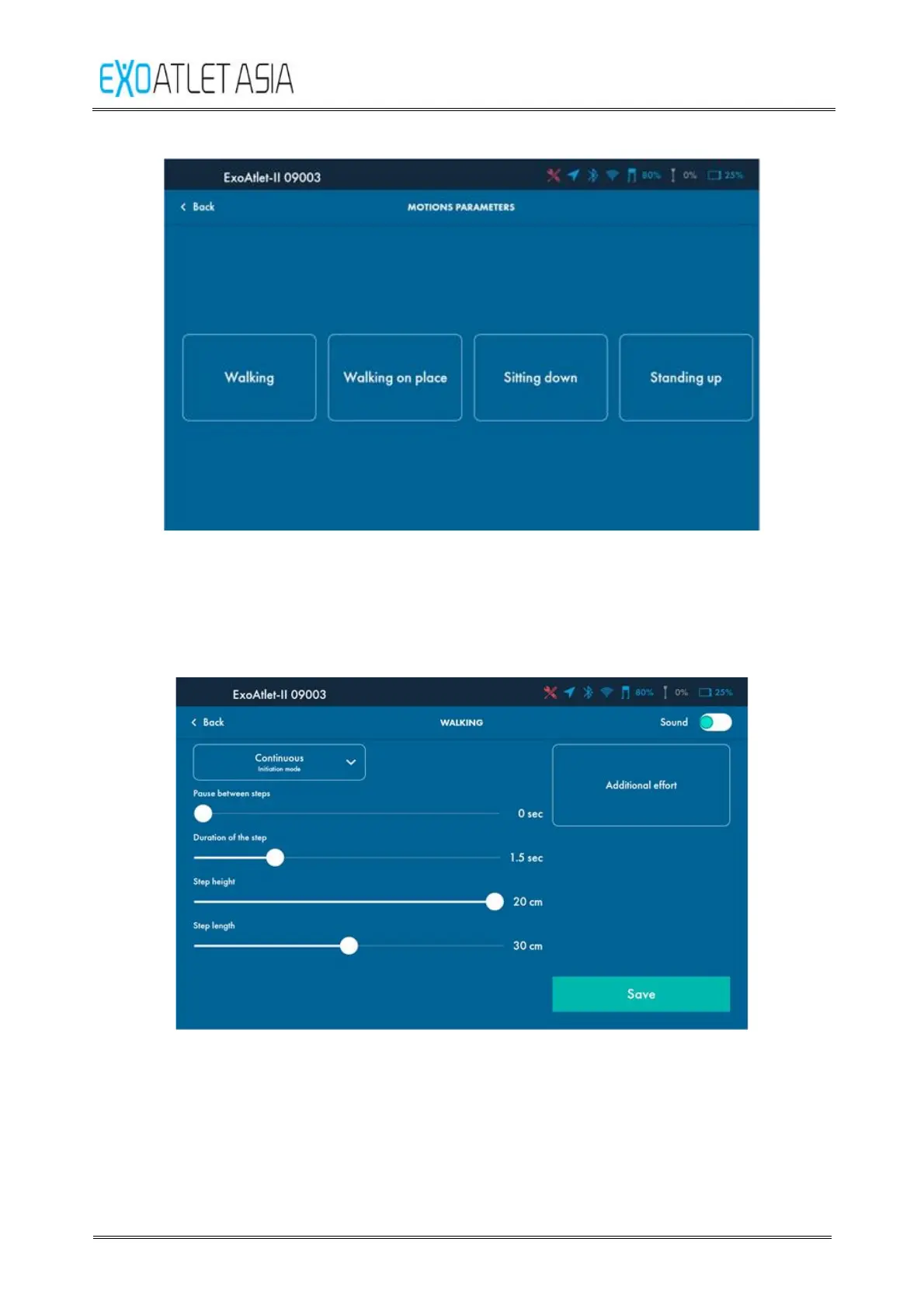
Figure 61
1) Walking
After pressing “Walking” button you will get access to the parameters of walking
(See Figure 62).
Figure 62
Press “Back” button in top left side of the screen to leave the settings without any
changes.
You can adjust various parameters:
① Pause between steps – parameter defines the time between ending one step and
starting another step (available only in “Continuous mode”). Min = 0, max = 1 s, step =
0.1 s.



 To Next Page