4 Operation
GB
51
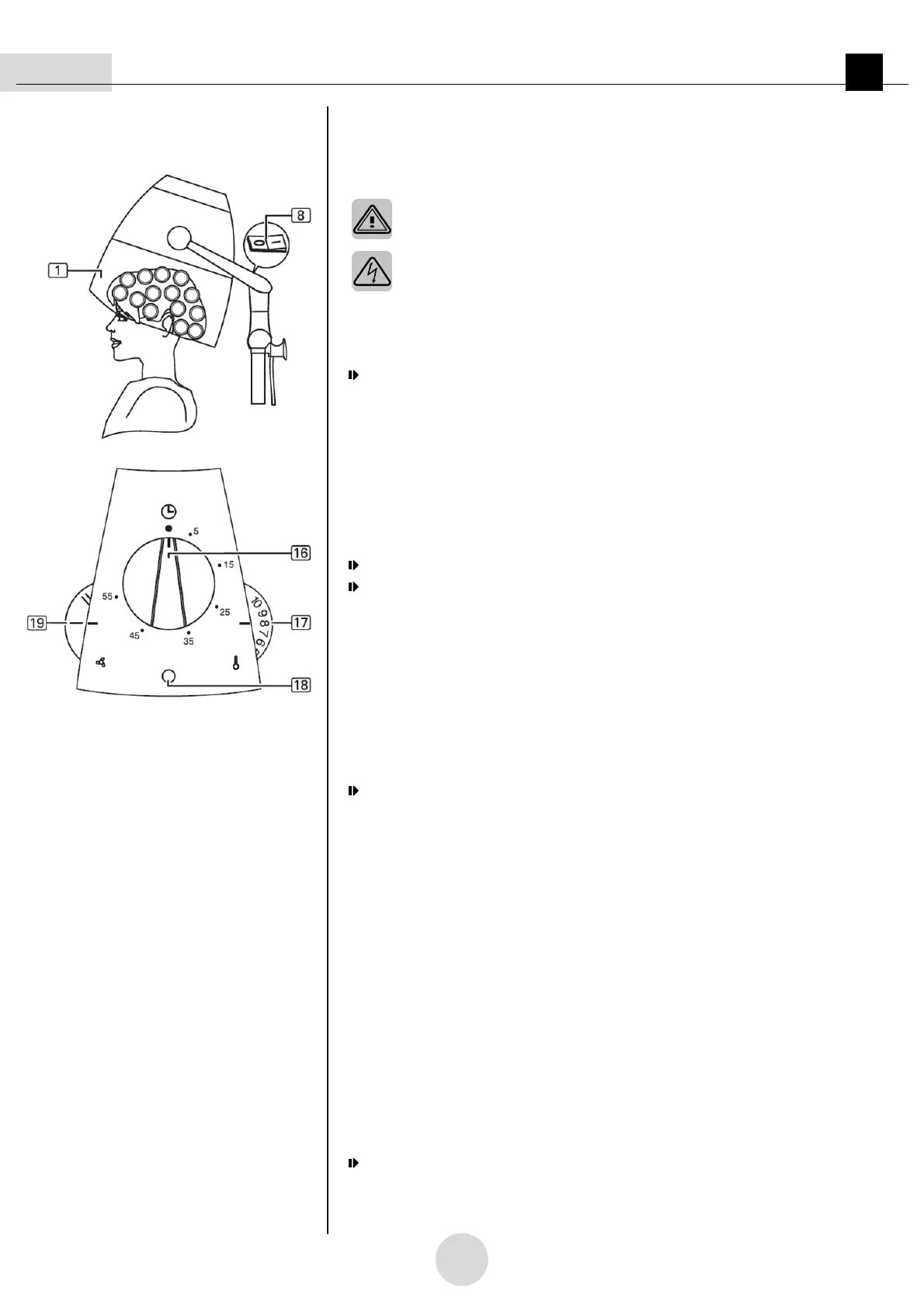
Figure 03
4.3 Switching on appliance
Please be sure to observe the safety information in section 2.
WARNING – Electric shock hazard:
• Do not operate the appliance with wet hands.
• Protect the appliance from splashing.
1st
Switch on appliance at ON/OFF switch
.
• The appliance is now ready.
The
pilot lamp
flashes.
4.4 Making settings
4.4.1. Setting drying time
1st
Turn the time control
to the required drying time.
• The time control
can be reset at any time.
The appliance starts.
The pilot lamp
is continuously lit.
• In the case of short drying times under 15 minutes:
Set the time control to a higher value first of all (e.g. 30 minutes) and then turn it
back to the shorter time.
• In the case of long drying times over 60 minutes:
-
The time control
must be reset a number of times, allowing a maximum,
continuous hood running time of 120 minutes to be
set.
-
After 120 minutes the appliance turns off automatically.
The pilot lamp
flashes.
-
To put the appliance back into operation, turn the ON/OFF switch
off and
back on again.
4.4.2. Setting the temperature
1st
Set the temperature on the temperature control
.
• The recommended basic setting is level 8.
4.4.3. Setting the airflow
1st
Set the airflow to level I or level II on the airflow setting control
.
4.5 Switching off appliance
1st
Switch off appliance at the ON/OFF switch
.
The pilot lamp
goes out.
• Remove the plug
according to section 4.1.2.
2nd
Clean appliance, if necessary, as described in section 5.


 To Next Page
 Loading...