4.2 Installation Environment
Avoid prolonged exposition to direct sunlight to avoid the risk of overheating the device.
The equipment is not intended for installation in contact with corrosive chemical compounds. Check the
resistance of the front panel to a specic compound before installation.
Do not use tools of any kind (screwdrivers, etc.) to operate the touch screen of the panel.
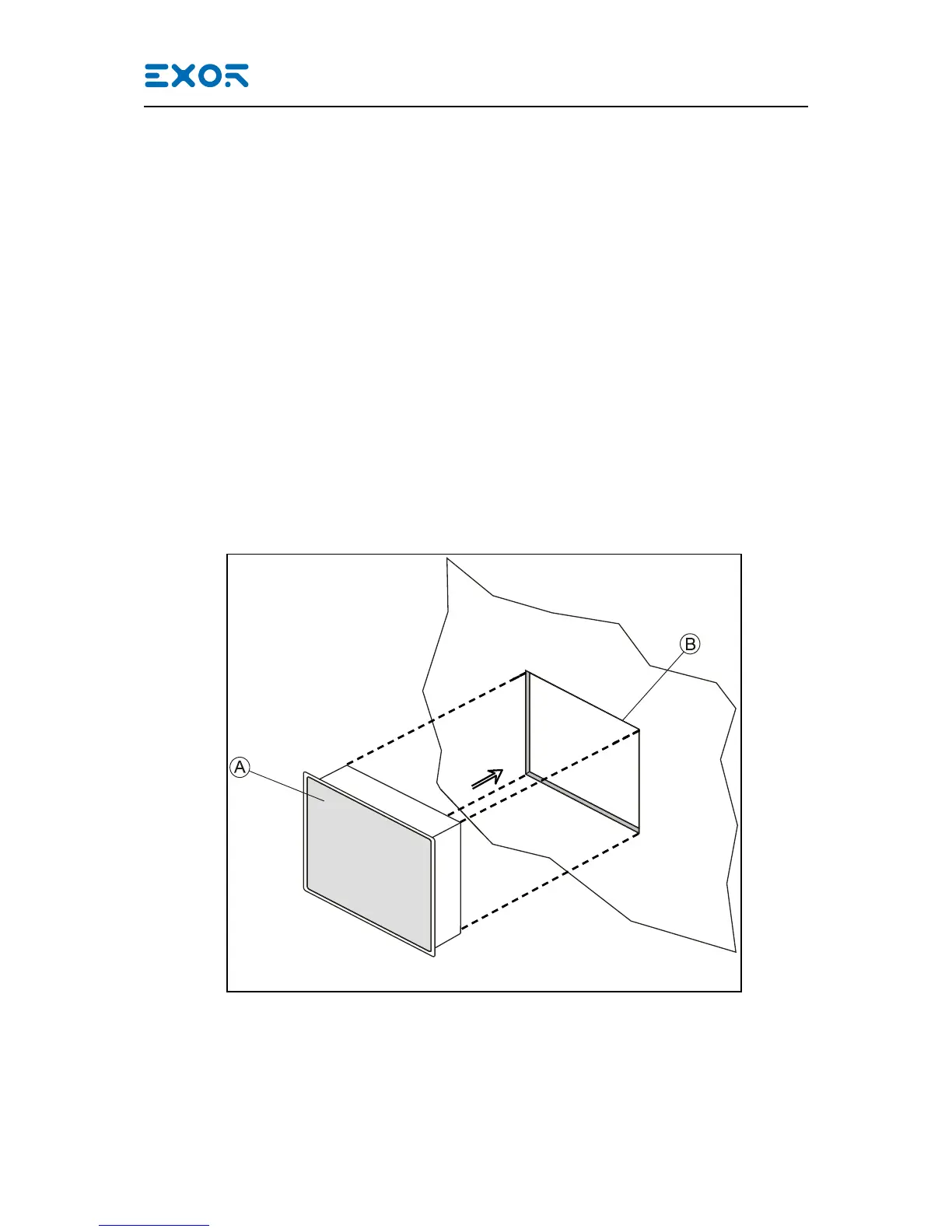
In order to meet the front panel protection classications, proper installation procedure must be followed:
• the borders of the cutout must be at
• screw up each xing screw until the bezel corner get in contact with the panel.
• the cutout for the panel must be of the dimensions indicated in this manual.
The IP66 is guaranteed only if:
• max deviation from the plane surface to the cut-out: O0.5mm
• thickness of the case where is mounted the equipment: from 1,5mm to 6mm
• max surface roughness where the gasket is applied: O120 um
A. eX7xx
B. Installation cut-out
Technical Data


 To Next Page