3 PRC20-EU-EN-V1.2 1/13
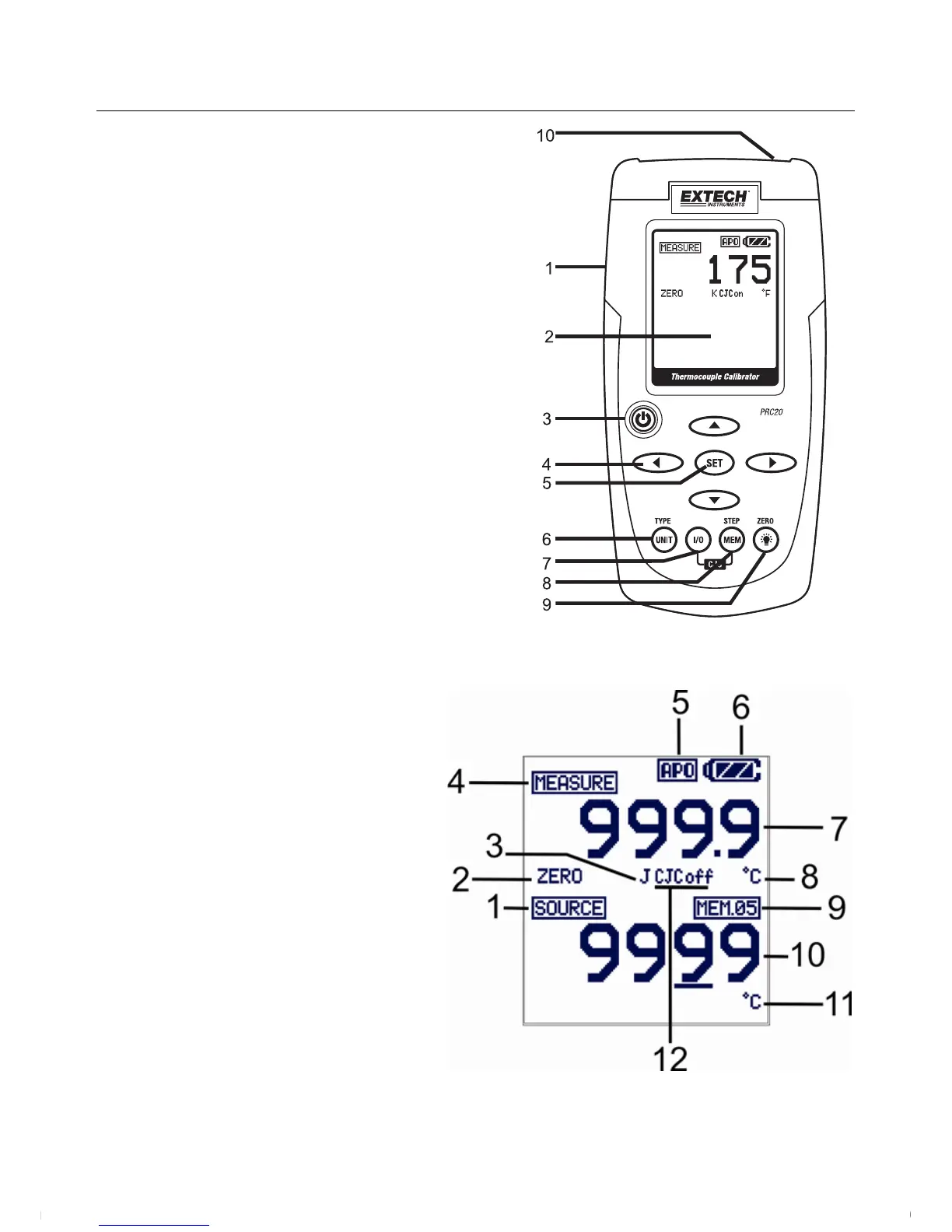
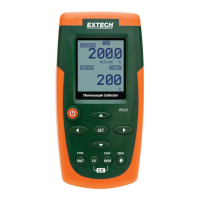
Meter Description
1. AC adaptor input jack
2. Display
3. Power ON/OFF
4. Source output adjustment arrow buttons
5. Set and exit the adjustment mode button
6. Unit button (thermocouple type, °F or °C)
7. I/O button
8. MEM (memory STEP button)
9. Backlight/ZERO button
10. Thermocouple mini-connector
Display Layout
1. SOURCE mode icon
2. ZERO function status icon
3. Thermocouple type
4. MEASURE mode icon
5. Auto Power OFF active icon
6. Battery status icon
7. Measure mode value
8. Measure mode units icon
9. Datalogger memory location
10. Source mode value
11. Source mode units icon
12. Cold Junction Compensation (CJC) circuit status (ON or OFF)
www.GlobalTestSupply.com
Find Quality Products Online at: sales@GlobalTestSupply.com




 To Next Page