EXTEL - WAVE 2 - 720321
en - 7
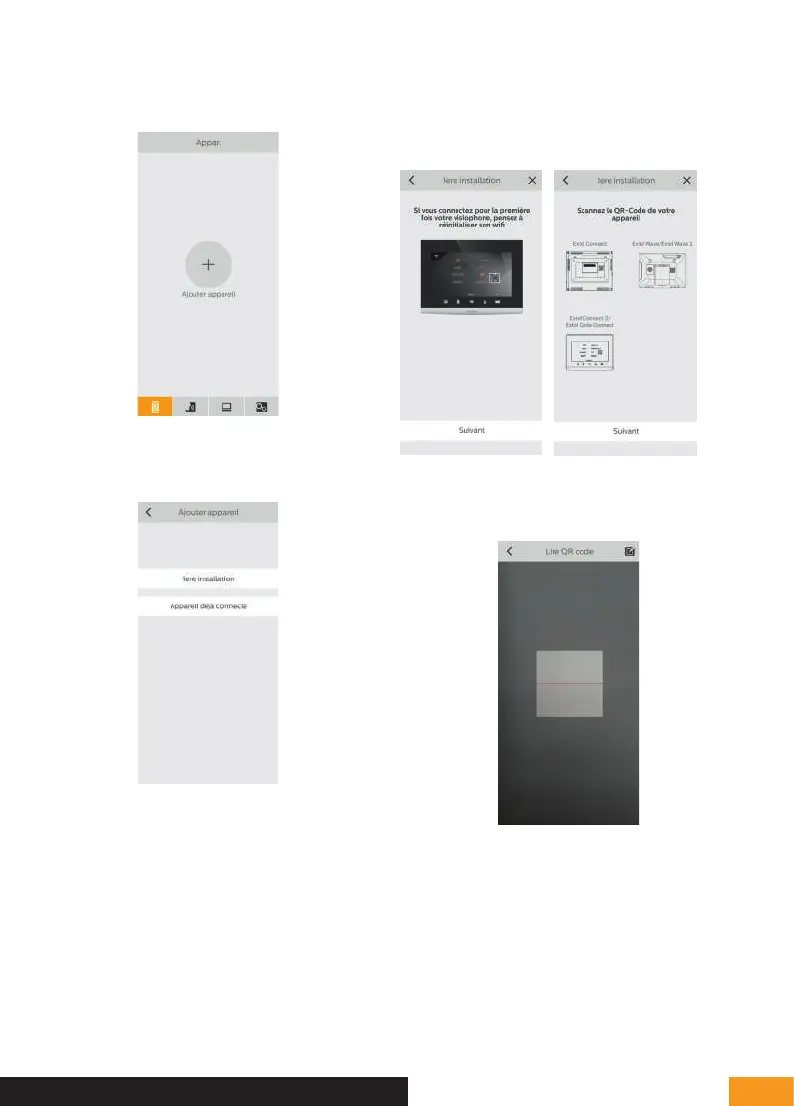
3 - From the Extel Connect application, click on + to
add a device.
4 - Click on “1ere installation” (first installation) and then
“suivant” (next)
The application reminds you that the screen of your
videophone must be in pairing mode, and indicates
where to find the QR Code you need to scan. Click on
“suivant” (next).
Scan the QR Code of your videophone as shown on
the previous page.
D - INSTALLATION


 To Next Page