EXTEL - WAVE - 720313
en - 8
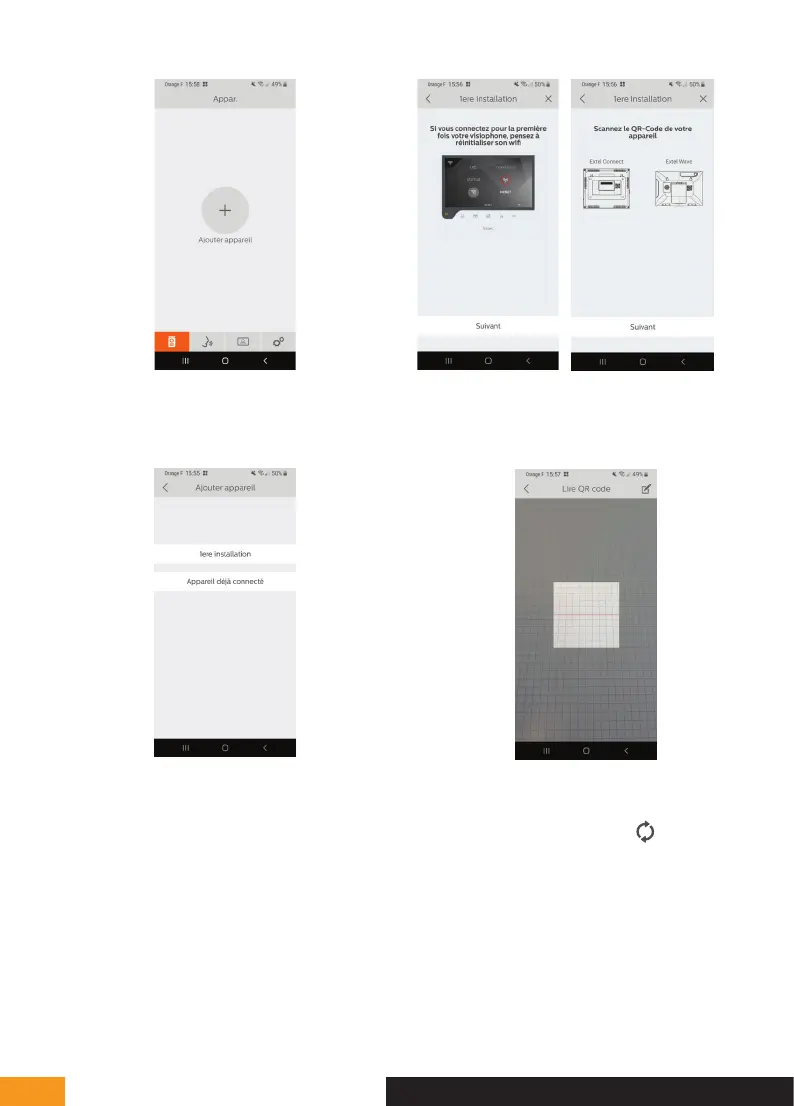
4 - Click on “nouvel appareil” (new device) and then
“suivant” (next)
The application reminds you that the screen of your
videophone must be in pairing mode, and indicates
where to find the QR Code you need to scan. Click on
“suivant” (next).
Scan the QR Code of your videophone as shown on
the previous page.
The WiFi network to which your phone is connected
appears. To change it, click on
. If no network
appears, your phone is probably in 3G/4G.
When the WiFi network you want appears, enter the
password.
E - INSTALLATION


 To Next Page