AVT 200HD Tuner • Operation 34
Buttons on the AVT 200HD Remote Control
The following functions are available through the buttons on the AVT 200HD IR Remote
Control:
AVT 200HD Remote
VIDEO
TUNE
PRESET
INFO
SAVE
ENTER
LAST
CC
GUIDE
SHIFT
FREEZE
VOLUMECHANNEL
AUDIO
4
321
5 6
7 8
0
9
MUTE
14
1
9
4
2
3
5
7
6
10
11
CHANNEL SELECTION
12
8
13
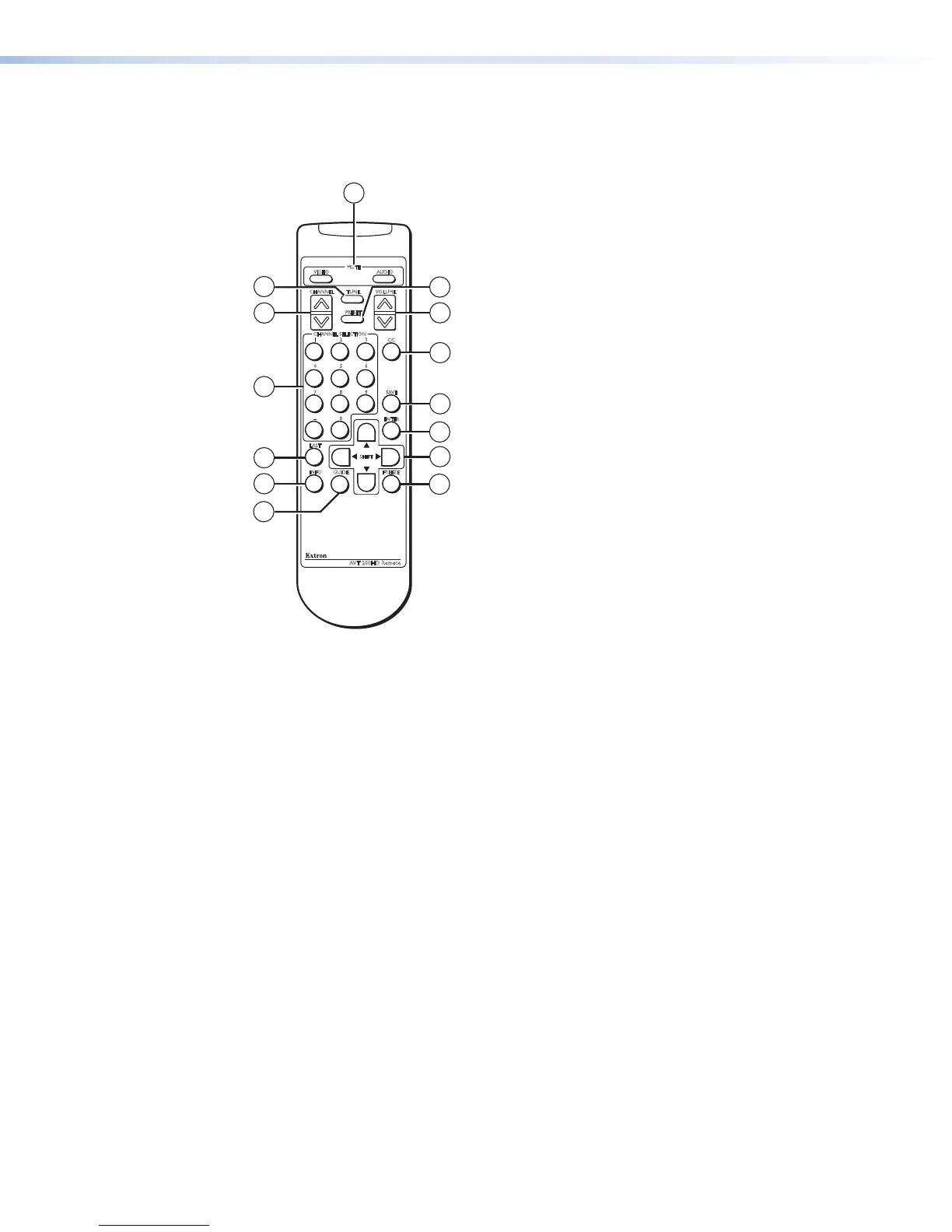
Figure 29. Buttons on the AVT 200 Remote Control
a Video and Audio Mute buttons — Toggle video and audio output muting on and off.
• When the channel is changed, the video is unmuted.
• When the volume is adjusted, the audio is unmuted.
b Preset — Puts the AVT in preset mode. In preset mode, the Channel Selection buttons
(
b
) switch between preset channels.
c Volume — Press the top (up arrow) or bottom (down arrow) section of this rocker
button to raise or lower the output volume.
d CC — Selects a closed captioning service (CC1 through CC6) or turns it off.
e Save — In tune mode, saves the currently selected channel as a preset. (Presets cannot
be saved while the AVT is in preset mode.)
f Enter — After using the numbered selection buttons (
l
) to select a channel or preset
number, press this button to switch to that channel or preset.
g Shift buttons — After the Guide button (
i
) is pressed:
• The up and down arrow buttons step through the program menu on the on-
screen display.
• The left arrow button lets you back-space and delete numbers that you entered
on the LED panel by pressing the channel selection buttons (
l
). This button does
not delete numbers after you press the Enter button to confirm your selections.
• The right arrow button is reserved for future use.
h Freeze — Freezes and unfreezes the video output.



 To Next Page