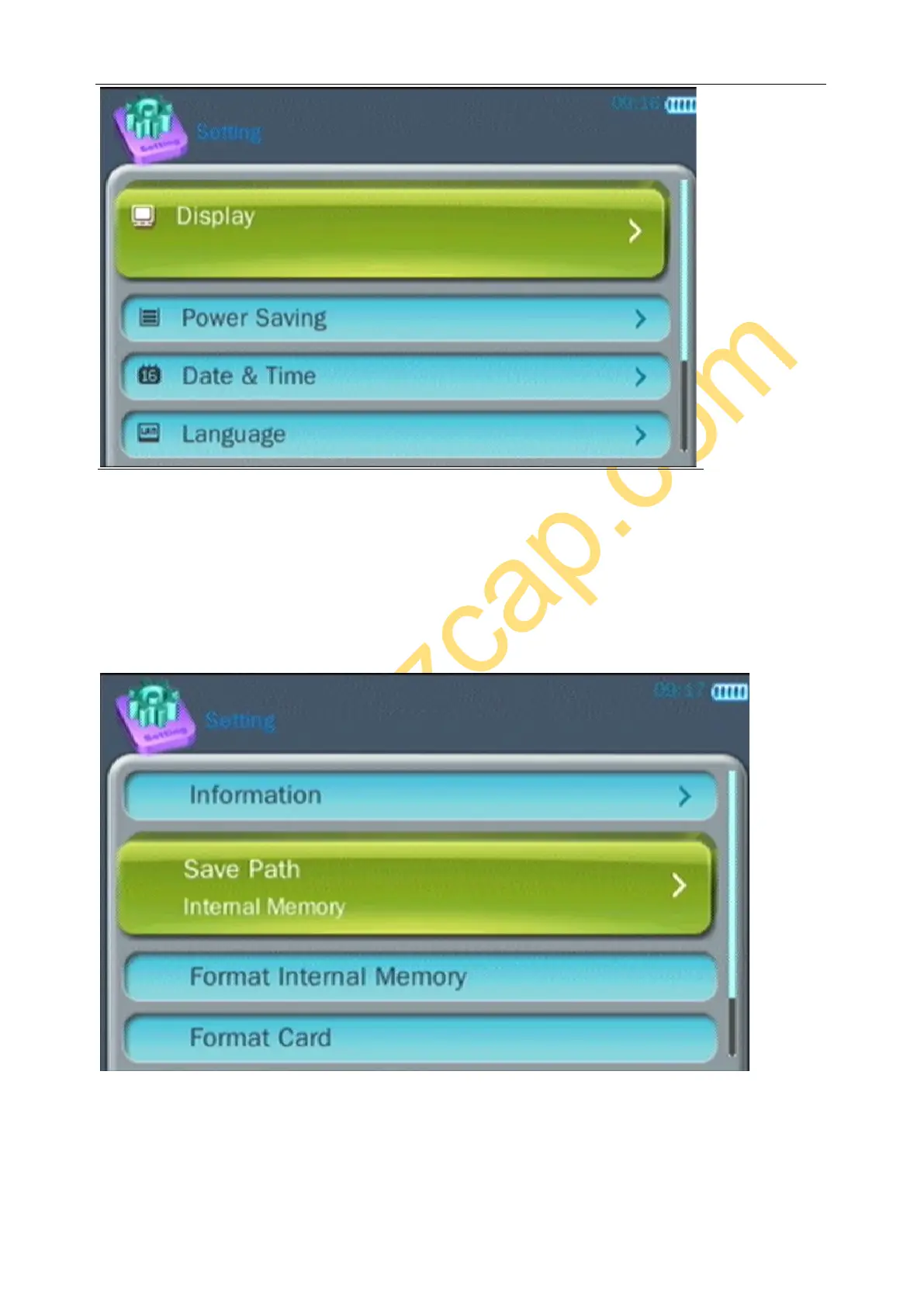
Display - set Backlight time, for saving energy
Power Saving - set idle time and sleep time, for saving energy.
Date & Time - set date and time.
Language - set language of menu, ezcap271 with 7 languages – English, French, German, Japanese, Spanish,
Simplified Chinese and Traditional Chinese.
Enter Advanced:
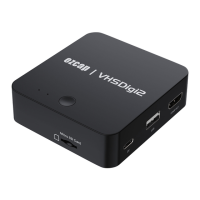
Information - shows the Firmware Version and Memory space
Save Path - set the default path (Internal or card memory)
Note: this setting is only for playback. For record, will record to internal memory if no card in, and will only
record to card memory if have card plug in
Others “Format Internal Memory” “Format Card” “Reset Default Settings” are just do as it means.


 To Next Page