7. POWER and DATA – Supply 5V DV power with mini USB cable to charge battery, connect to computer to manager
files or update firmware.
8. Micro SD card slot – Plug Micro SD card saving record file.
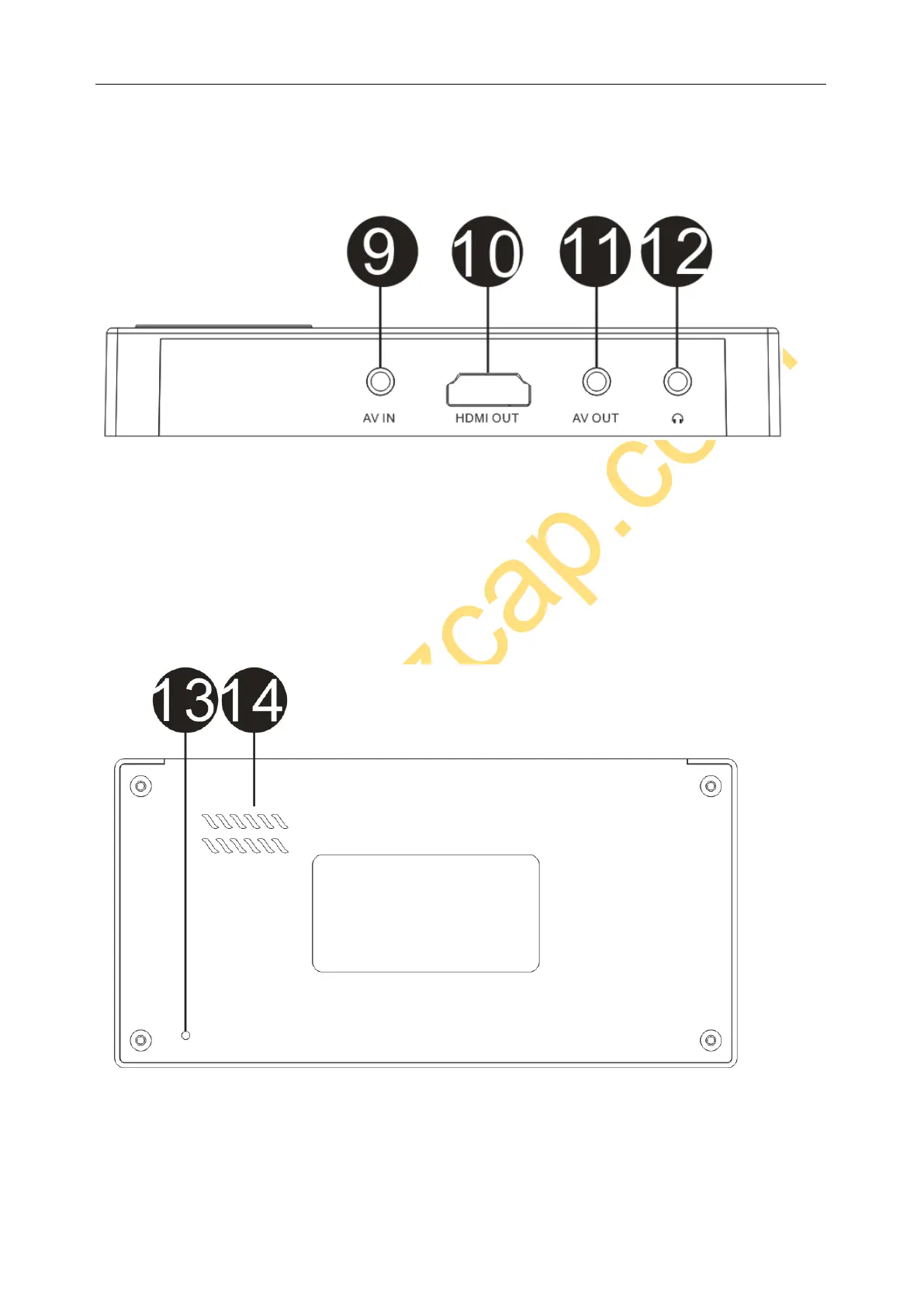
9. AV IN – AV input connection with AV Cable.
10. HDMI OUT – Connect to TV monitor displaying.
11. AV OUT – Connect to TV monitor displaying
12. EARPHONE – Connect earphone to listen the audio.
13. RESET – Click to reset to factory default setting.
14. SPEAKER – With speaker inside, can listen to the sound directly.


 To Next Page