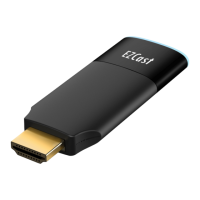
Apple iTune App Store(iOS) or Google play (Android).
You may also scan the QR code on TV screen for
download.
Note: Supports iOS8 and above
Note: Supports Android 5.0 and above
Setup EZCast Dongle (Android as sample)
Step 1: Please establish WiFi connection with your
EZCast as shown below.
Note: You could find the SSID and Password of Your
EZCast dongle on the setup screen.
!
Step 2: Launch the “EZCast” App on your device,
and click the “Search” button (1st row). Select your
EZCast dongle on the list, and then you may enter
“Function Page” as shown below.
!


 To Next Page