6
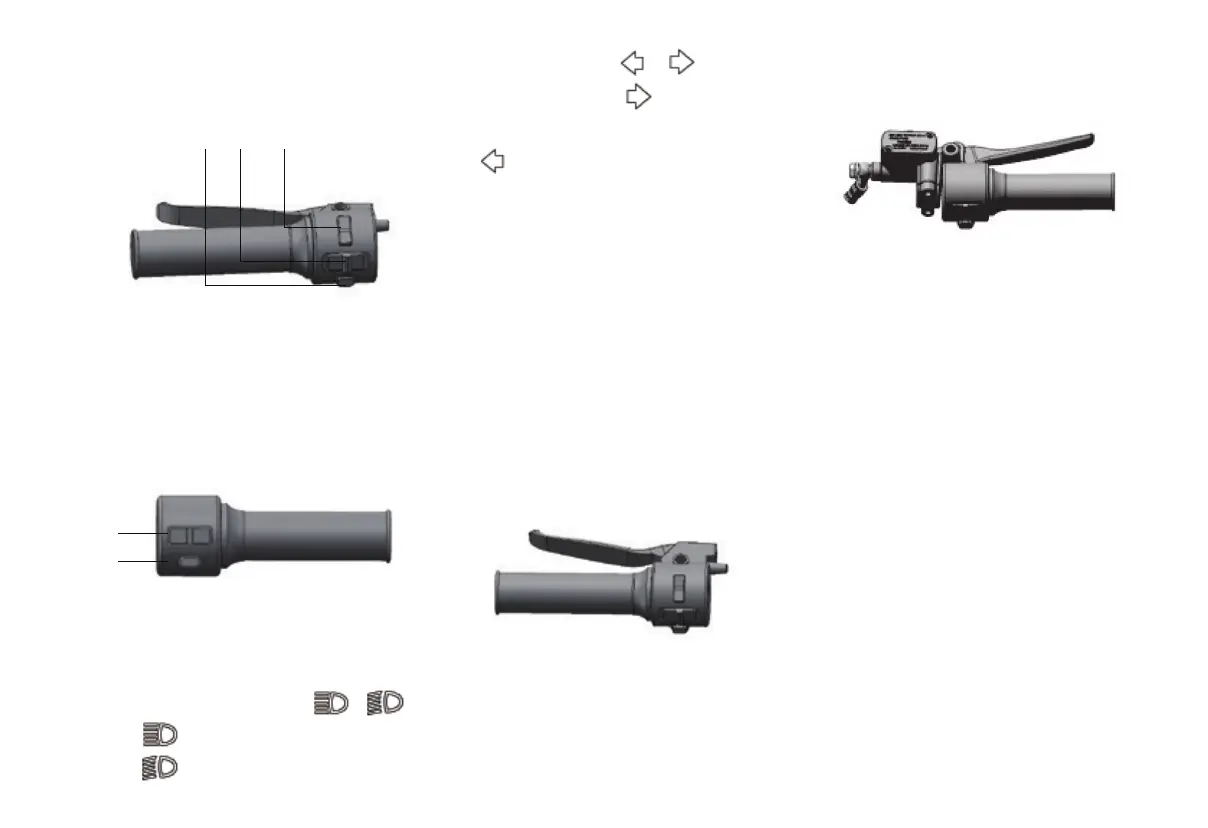
Left combination switch
Left handle switch
123
1.Dimmer button
2.Turn signal button
3.Horn button
Right handle switch
1
2
1.lighting switch
2. Mode switch
Far and near light switch /
press to turn on the high beam;
press to turn on the low beam;
Turn signal switch /
Push the switch to Can make the
right direction light flash;Push the switch
to Can make the left direction light
flash.If you want to cancel the blinking
of the direction light, you can move
the switch back to the middle position.
Horn button
Press this button to make the speaker
sound.
Mode switch
Press this button to switch the vehicle's
driving mode between ECO and Power.
Rear brake grip
The rear brake grip is located on the
left handle, and grasp the grip in the
direction of the handle to make the
rear wheel brake.
Front brake grip
The front brake grip is located on the
right handle. Grasp the grip in the direction
of the handle to make the front wheel
brake.


 To Next Page