7
3
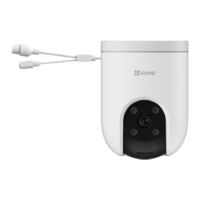
Install the waterproof kit (Oponal)
• If the camera is installed outdoors or in the humid environment,
please use the waterproof kit.
• For the following steps, you need to cut o the network plug, and
then re-wire. Please turn to professional personnal if you need help.
Cut o one side of the network cable (A).
Put the A side through the nut
,
the gasket and the encap.
Connect a new network plug with the cable (A).
Insert the gasket to the network interface of the camera.
Insert the network plug into the network interface of the camera.
Insert the gasket into the encap, and ghten up the encap and lock nut.
Connect the B side with the LAN interface of the router or PoE switch.
Router



 To Next Page
 Loading...