4
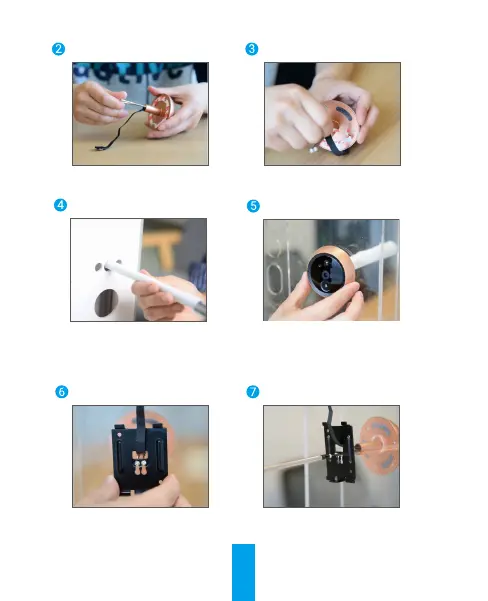
Turn the screws into the
back of camera.
Tear off the release paper.
Pass screws and wire
through the door. You can
roll up the paper to help.
Adjust camera's position and
push it close to the door gently.
Pass screws and wire
through the mounting base.
Adjust the mounting base's
position and tighten the screw.


 To Next Page
 Loading...