Repackaging the platform
The 2000/4000 Series platform must be shipped in packaging provided by F5 Networks.
1. Disconnect the network cables and other cables from the platform, and then remove any optical modules.
2. Remove the platform from the rack.
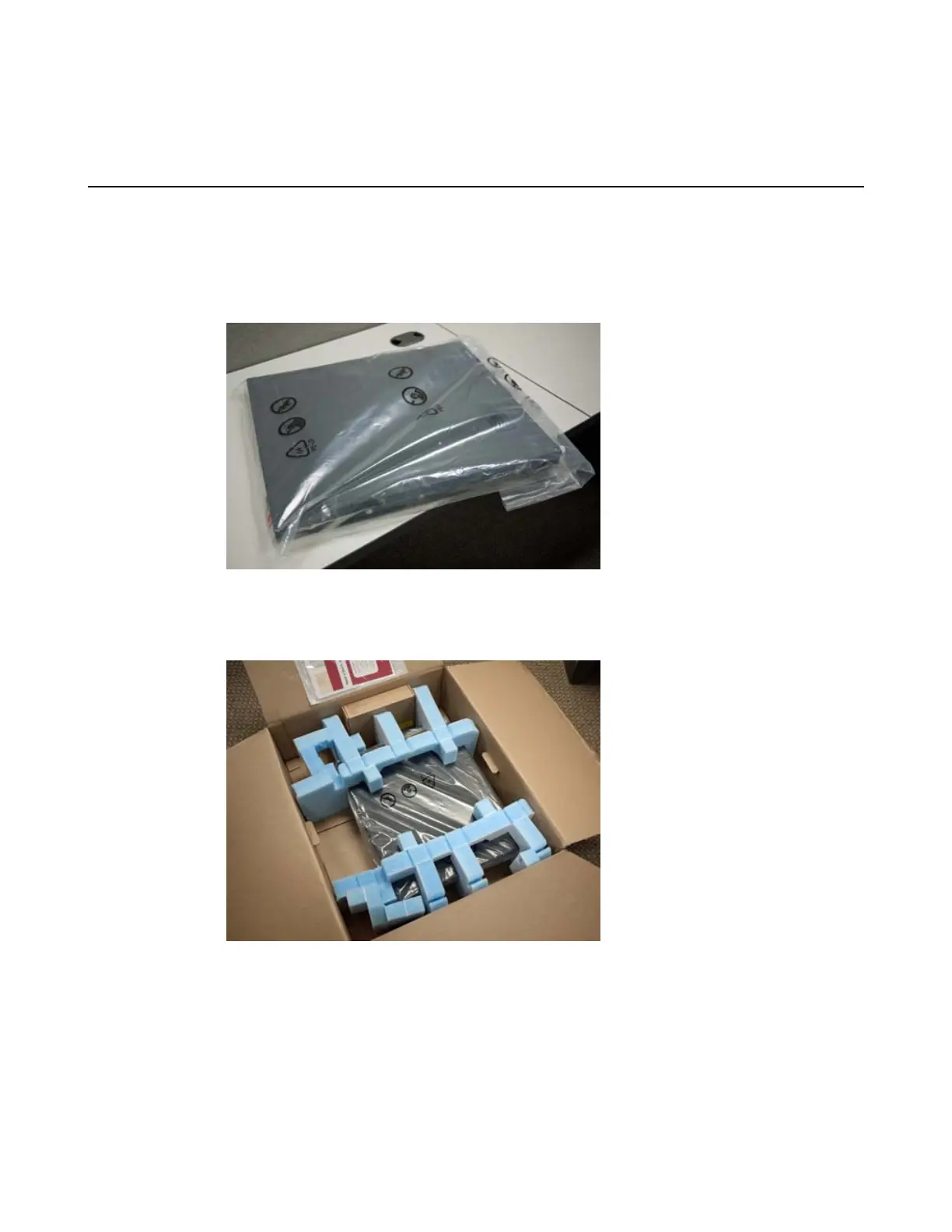
3. Place the platform in the plastic bag, if available.
4. Place the foam inserts on the front and back sides of the platform.
5. Place the platform into the shipping box.
6. Place the accessory boxes in the foam inserts.
24
Repackaging Guidelines


 To Next Page