21
ENGLISHENGLISH
END-USER GUIDE
412 Compact Automation Systems
Read the end user guide carefully before using the product
and keep it in a safe place for future reference.
GENERAL SAFETY REGULATIONS
When correctly installed and used, the 412 Compact
automation system ensures a high degree of safety.
A few simple rules should be followed to prevent accidental
problems.
- Do not pass between the leaves when they are still moving:
always wait until they have opened completely.
- Do not linger between the leaves.
- Do not linger near the automation system; do not allow
children or adults to linger near it; and do not leave objects
near it.
- Keep wireless control devices, or other devices that might
accidentally activate the automation system, out of the
reach of children.
- Do not allow children to play with the automation system.
- Do not impede the movement of the leaves.
- Do not allow branches or bushes to interfere with the
movement of the leaves.
- Ensure that the warning lamps are in always in working order
and visible.
- Do not attempt to actuate the leaves manually unless you
have first unlocked them.
- In case of a malfunction, unlock the leaves to allow vehicles
to pass, and call a qualified technician.
- If you have set the manual mode, before restoring normal
operation, disconnect the power supply.
- Do not modify the components of the automation system.
- Do not attempt to repair the automation system or to perform
any operation on it. Call qualified technicians only.
- At least once every 6 months, have qualified personnel
check that the automation system, safety devices and earth
connection are in working order.
DESCRIPTION
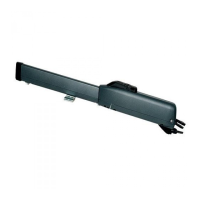
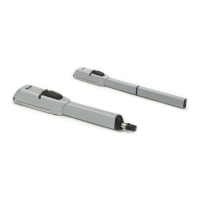
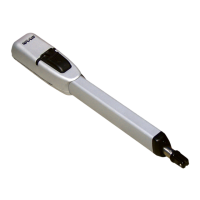
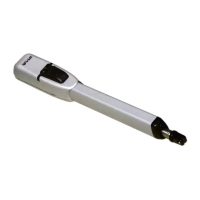
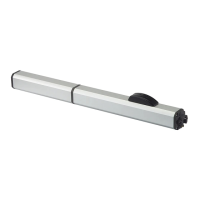
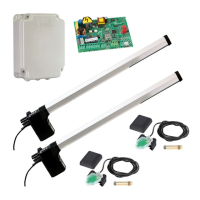
The FAAC 412 Compact automation consists of two
electromechanical operators which are ideal for controlling
swinging gates with each leaf up to 1.80 m long.
The two electromechanical operators transmit movement to
the leaves by a worm screw system.
The operators are controlled by an electronic control unit,410
MPS, mounted in an enclosure which assures adequate
protection against atmospheric agents.
The leaves are normally closed. When the electronic control
unit receives an open command from the remote radio control
or any other control device, it activates the electromechanical
system and causes the leaves to rotate by an angle of up to
110° to their open position, so as to allow access.
If automatic operation has been selected, the leaves close
automatically after the selected pause time.
If semiautomatic operation has been selected, a second
impulse must be sent to close the leaves.
An open command given while the leaves are closing causes
the leaves to reverse direction of movement.
A stop command (if available) stops movement at any time.
For detailed information on the operation of the automation
system in the various operating modes, contact the installation
technician.
The automation system is equipped with a photocell safety
device which prevents the leaves from closing when the
photocells are darkened by an obstacle.
The 412 Compact automation system is also equipped with an
anti-crushing safety device (fitted as standard) that limits the
torque transmitted to the leaves.
The operators ensure that the system is mechanically locked
when the motor is not running, so there is no need to install a
lock.
The leaves can be opened manually only by operating the
unlocking device.
The lamp flashes while the leaves are moving.
MANUAL OPERATION
If the gate has to be operated manually due to a malfunction
or power supply failure, remove the safety cap and insert the
key provided into the release system as shown in fig. 1.
To release the operator, turn the key in the leaf closure direction
(fig. 1).
Open or close the leaf manually.
RETURNING TO NORMAL OPERATION
To prevent an accidental impulse from activating the operators
during this operation, disconnect the system from the power
supply before re-locking the operators.
To re-lock the operator, turn the key in the leaf opening
direction (fig. 1).
Fig. 1
SBLOCCA
DESBLOQUEAR
DEBLOQUE
UNLOCK
ENTRIEGELT
BLOCCA
BLOQUEAR
BLOQUE
LOCK
VERRIEGELT
SBLOCCA
DESBLOQUEAR
DEBLOQUE
UNLOCK
ENTRIEGELT
BLOCCA
BLOQUEAR
BLOQUE
LOCK
VERRIEGELT


 To Next Page
 Loading...