EasyManua.ls Logo

FAAC 412 - User Manual

FAAC 412
23 pages
Print Icon
To Next Page IconTo Next Page
Loading...
The 412 Operator and
450 MPS Control Panel:
Installation Manual
Contents
Important Safety Information........................................................................2
Technical Data ..............................................................................................4
The 412 Compact Operator....................................................................4
The Control Panel ..................................................................................4
Unpacking the Operator ................................................................................ 5
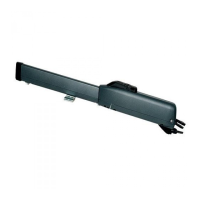
The 412 Compact Operator........................................................................... 6
General Characteristics ..........................................................................6
Operating Logic .....................................................................................6
Manual Release Mechanism ........................................................... 6
General Operating Logic ................................................................ 7
Logical Operating Modes ...............................................................7
Installation Instructions............................................................................... 10
Prepare the Gate...................................................................................10
Install the Operator ..............................................................................10
Establish the Orientation of the Operator and the Gate Leaf........ 10
Attach the Rear Mounting Bracket .............................................. 10
Attach the Operator to the Rear Mounting Bracket ......................12
Attach the Operator to the Front Mounting Bracket..................... 12
Attach the Front Mounting Bracket to the Gate Leaf ...................12
Attach the Operator Cover............................................................ 13
Install the 450 MPS Control Panel...................................................... 14
Connect the Main Power Supply .................................................. 14
Connect One Activating Device ...................................................15
Connect the Operator(s) to the Control Panel.............................. 15
Check the Motor’s Direction of Rotation ....................................17
Connect Other Devices .................................................................17
Set Operating Controls.........................................................................20
Set DIP Switches .......................................................................... 20
Adjust the Potentiometers.............................................................20
Maintenance ................................................................................................ 21
The 412 Operator ................................................................................. 21
The Control Panel ................................................................................21
Troubleshooting ..........................................................................................22
FAAC International, Inc.
303 Lexington Avenue
Cheyenne, WY 82007

Other manuals for FAAC 412

Questions and Answers

  • C
    Christine JohnsonAug 1, 2025
    What to do if FAAC Control Panel gate opens but does not close?
    • D
      davisjasonAug 1, 2025
      If your FAAC Control Panel gate opens but doesn't close, first ensure that you have selected the desired operating mode. Also, one of your reversing devices might be preventing the gate from responding to your signal. Verify that the reversing devices are working properly. The LED DL2 should be illuminated; if it's not, check the devices.
  • P
    pfisherAug 6, 2025
    Why FAAC Control Panel gate doesn't open or close though the motors are running?
    • J
      John NealAug 6, 2025
      If your FAAC Control Panel gate motors are running but the gate isn't opening or closing, make sure that the motor is running in the right direction. Also, ensure that the Manual Release mechanism has fully engaged the worm screw drive.
  • A
    Andrew EspinozaAug 11, 2025
    How to fix FAAC Control Panel gate that does not fully open or close?
    • M
      Michael HornAug 11, 2025
      If your FAAC Control Panel gate isn't fully opening or closing, try reprogramming the control panel. Also, check for any obstructions in the gate's path or ensure that the hinges are not binding.
  • E
    Eddie OwensAug 16, 2025
    Why FAAC Control Panel gate does not respond to the activating signal?
    • B
      Barry BrownAug 16, 2025
      If your FAAC Control Panel gate isn't responding to the activating signal, there could be several reasons. First, ensure that you have correctly wired both the operator and the activating device to the control panel. Check fuse F2 (for the motor[s] of the operator[s]) and F1 (for accessories such as activating devices), and replace any blown fuses. Also, verify that your activating device functions correctly by using an ohm meter to confirm that the contacts are open normally and close when you activate the device. Finally, examine LED DL3; it should be illuminated if the stop device isn't preventing the gate's operation.
  • K
    Karen DuranAug 20, 2025
    What to do if FAAC Control Panel radio controlled opener does not open the gate?
    • B
      Brittany MontesAug 21, 2025
      If the radio controlled opener for your FAAC Control Panel gate isn't working, start by checking the light on the remote transmitter. It should illuminate when you send a signal to the gate. If it doesn't light up, and the batteries are fine, you may need to repair or replace the transmitter. Also, make sure that the radio receiver is properly plugged in and that the LED on the receiver illuminates when a signal is sent.
  • R
    robertsjessicaAug 26, 2025
    Why FAAC Control Panel operator doesn't work smoothly and the gate jerks as it opens and closes?
    • W
      westdavidAug 26, 2025
      If the FAAC Control Panel operator isn't working smoothly and the gate jerks, ensure that the Manual Release mechanism has fully engaged the worm screw operation of the operator. If the gate leaf flexes, stiffen the gate or use a slower operator.

Summary

Important Safety Information

Technical Data

The 412 Compact Operator

Specifications for the 412 Compact Operator, including voltage, duty cycle, and dimensions.

The Control Panel

Details about the 450 MPS control panel, its parameters, and power source.

The 412 Compact Operator

General Characteristics

Overview of the 412 Compact Operator, its design, and application suitability.

Manual Release Mechanism

Explanation of how to use the key-operated manual release for the operator.

Operating Logic

General Operating Logic

How the operator behaves when encountering obstacles, regardless of logic mode.

Logical Operating Modes

Description of various logic modes (A, S, E, EP, B, C) for gate operation.

Installation Instructions

Prepare the Gate

Steps to prepare the gate structure before operator installation.

Mount the Operator

Covers establishing orientation, attaching brackets, and operator cover.

Install the Control Panel

Guidance on locating and installing the control panel enclosure.

Connect System Components

Wiring main power, devices, operators, and checking motor rotation.

Set Operating Controls

Set DIP Switches

Configuring the gate's operating logic and reversing device behavior using DIP switches.

Adjust the Potentiometers

Fine-tuning settings like pause time, opening/closing time, and leaf delay.

Maintenance

The 412 Operator

Recommendations for inspecting the operator hardware.

The Control Panel

Guidance on checking the torque adjustment setting on the control panel.

Troubleshooting

FAAC 412 Specifications

General IconGeneral
Operating Temperature-20°C to +55°C
Protection ClassIP44
Thrust3500 N
Cycles per hour18
TypeElectromechanical
Power Supply230V AC
Opening time18 seconds (to 90°)
Motor Voltage230V

Related product manuals