46
Screen Saver Mode
This mode saves energy by switching o all control panel lighting
when the panel is left inactive.
How To Use?
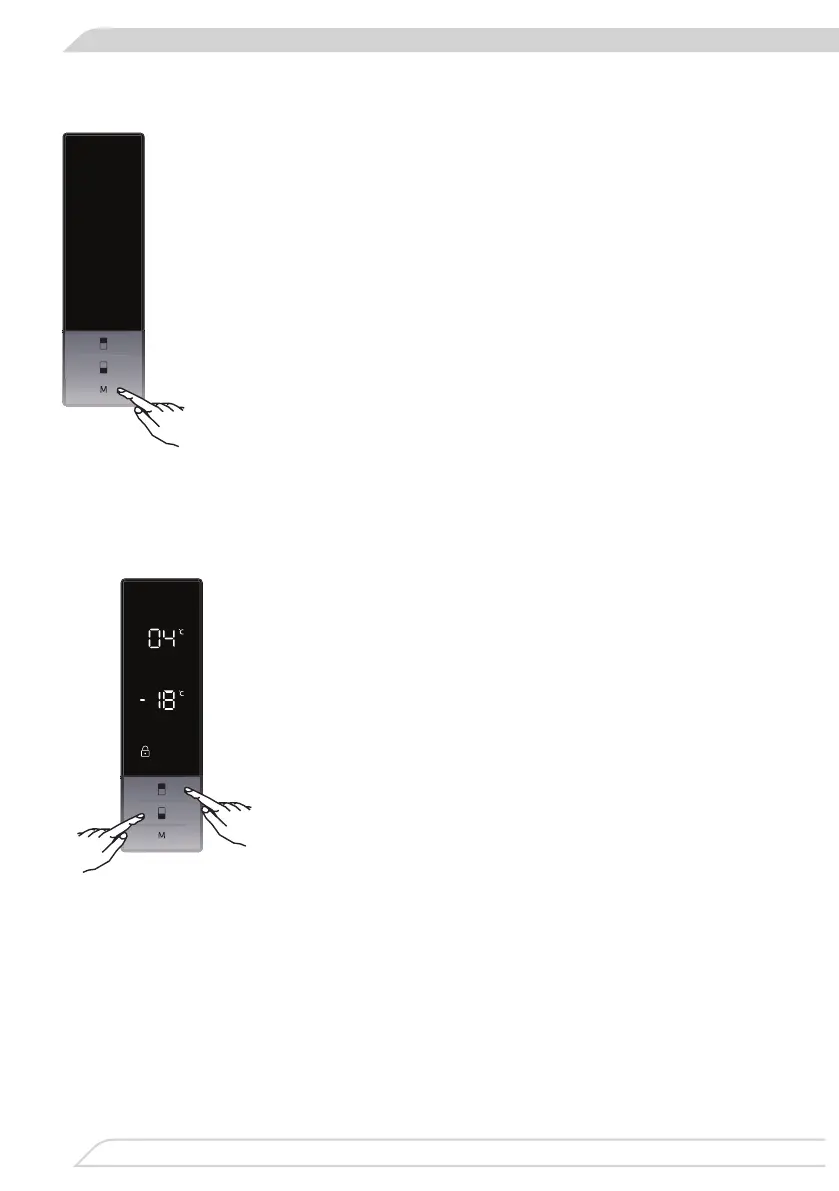
• This mode will be activated when you press on “MODE” button
for 5 seconds.
• If no button is pressed within 5 seconds when he mode is
active, lights of the control panel will go o.
• If you press any button when lights of control panel are o, the
current settings will appear on the screen, and then you can
make he adjustment as you want. If you neither cancel screen
saver mode nor press on any button in 5 seconds, the control
panel will go o again.
• To cancel screen saver mode press on “MODE” button for 5
seconds again.
• When screen saver mode is active you can also activate child
lock.
• If no button is pressed within 5 seconds after child lock is ac-
tivated, the lights of the control panel will turn o. You can see
latest status of settings or modes after you pres any button.
While control panel ‘s light is on, you can cancel child lock as
described in the instruction of this mode.
Função de Bloqueio Infantil
Quando seria utilizado?
O bloqueio infantil está disponível no eletrodoméstico de
modo a evitar que crianças brinquem com os botões e
alterem as denições que memorizou.
Ativar o Bloqueio Infantil
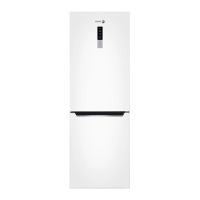
Prima os botões de congelador e do refrigerador simul-
taneamente durante 5 segundos.
Desativar o Bloqueio Infantil
Prima os botões de congelador e do refrigerador simul-
taneamente durante 5 segundos.
O Bloqueio Infantil ir-se-á também desativar se a eletri-
cidade for interrompida ou se o frigoríco estiver desco-
nectado da alimentação elétrica.
Função de Alarme de Porta Aberta
Se a porta do refrigerador ou do congelador estiver aberta mais do que 2 minutos,
o eletrodoméstico irá emitir um “bip bip”.


 To Next Page