Using your appliance
EN
Defrost seng
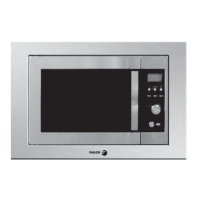
•Place the food into the oven, close the lid.
•Press “Funct” button 4 times, until the preset weight “100 g” figures flash.
•If you want to reset the weight of food instead of preset weight, press +or – to adjust.
•Press the Start/Stop button to confirm. Defrost starts.
Defrost advice
Defrosting time depends on form, size, starting temperature and quality of the food.
Remove any loose ice from the surface of the food prior to defrosting. Ice will slow the defrost process.
In order to ensure even defrosting, separate poultry pieces or fish fillets as soon as possible.
Let the food stand after defrosting: standing times used are the same the defrosting time.
Defrost meats and fishes on an upside down saucer on top of another plate, in order to let the juice leak away and to
prevent the food cooking.
Turn over and stir the food half way through defrosting.
Remove all metal links / ties when defrosting food directly in their freezer bags.
Never re-freeze food once thawed.
For bread or pastry (flaky pastry…) defrost by putting foodstuffs on absorbing paper, turn over half way through
defrosting.
When removing food from the oven, please ensure the mer is returned to “00:00” Failure to do
so, and operang the microwave oven without food in it, can result in damage to the magnetron.
When cooking has ended it is normal for the fan to operate for several minutes in order to cool the
ovens components.
Sound on / off
The oven sounds and melodys can, if desired, be turned off.
press and hold the start / stop buon for 5 seconds “S OFF” will appear in the display. To turn the sound
back on press and hold the start / stop buon unl the shows “S ON”
16
6


 To Next Page