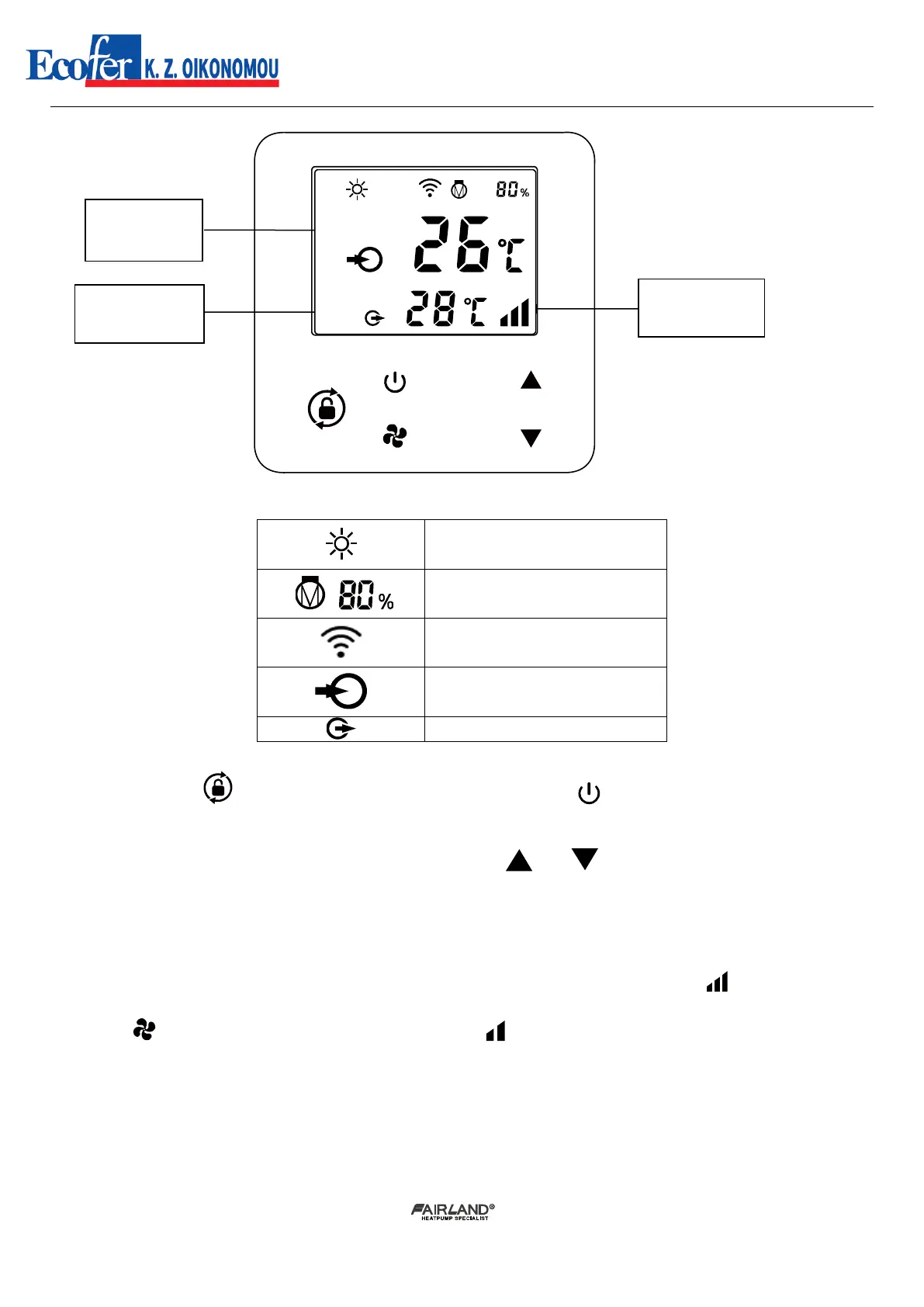
1.Power On: Press for 3 seconds to light up screen, then press to power on heat pump.
2.Adjust Set Temperature: When screen is unlocked, press or to display or adjust the set
temperature.
3.Smart/Silence mode selection:
① Smart mode as default will be activated when heat pump is on, and screen shows .
② Press to enter Silence mode, and screen shows .
(Suggestion: select Smart mode for initial heating.)


 To Next Page
 Loading...