Cleaning and care
2
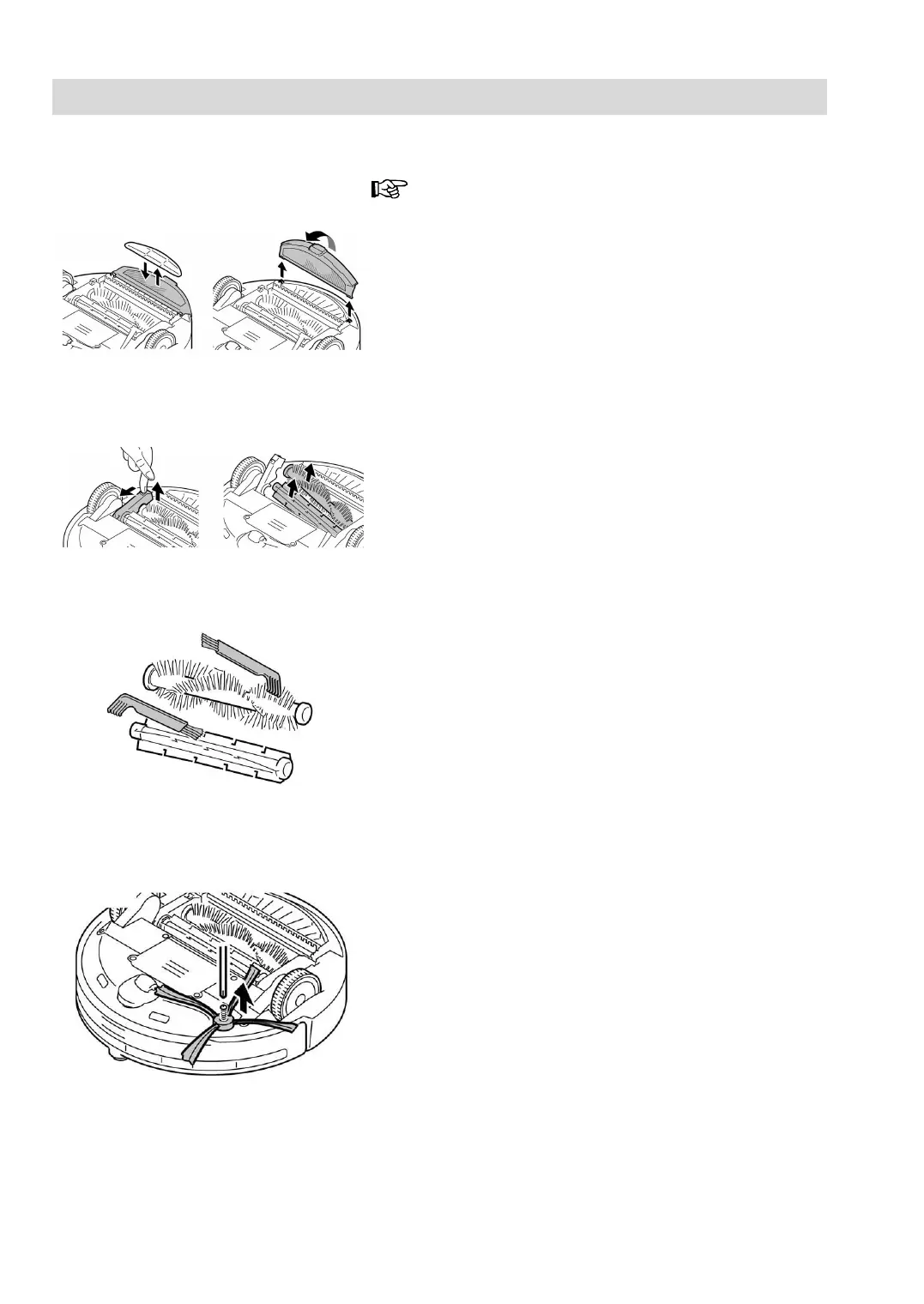
Fig. 21
Fig. 22
Fig. 23
Fig. 24
Mop cleaning and replacement (9)
Do not use the mop on rugs, carpets or floors that
are not completely smooth.
1. In such cases, remove the mop attachment (10).
Turn the mop attachment and undo the left and right
tabs (Fig. 21).
2. To replace the mop (9), pull it out and put a new one
in its place (Fig.21).
Removal and cleaning of roller and brushes
For best performance of the robot vacuum, we recom-
mend that you clean the rubber roller and roller brush
after every 3 uses.
Rubber roller (22) and roller brush (23)
1. Push the tab back and lift and fastening bar (Fig.
22).
The rubber roller and roller brush will be released.
2. Remove the rubber roller (22) and roller brush (23).
3. Clean the rubber roller and roller brush using the
cleaning brush (6) (Fig. 23).
4. Re-insert the rubber roller and roller brush and re-
place the fastening bar, pressing it until you hear a
click, which indicates that it is fitted properly.
Side brush (8)
Clean the side brush regularly to prevent malfunc-
tioning of the robot vacuum.
1. Use your hands to remove any hair and dust
trapped in the side brush.
2. If the dirt is very tangled around the brush, cut it
using scissors.
If necessary, unscrew the screw and remove the
side brush (8) from the body for more effective
cleaning (Fig.24).
3. Return the side brush to its housing.






 To Next Page