17
18
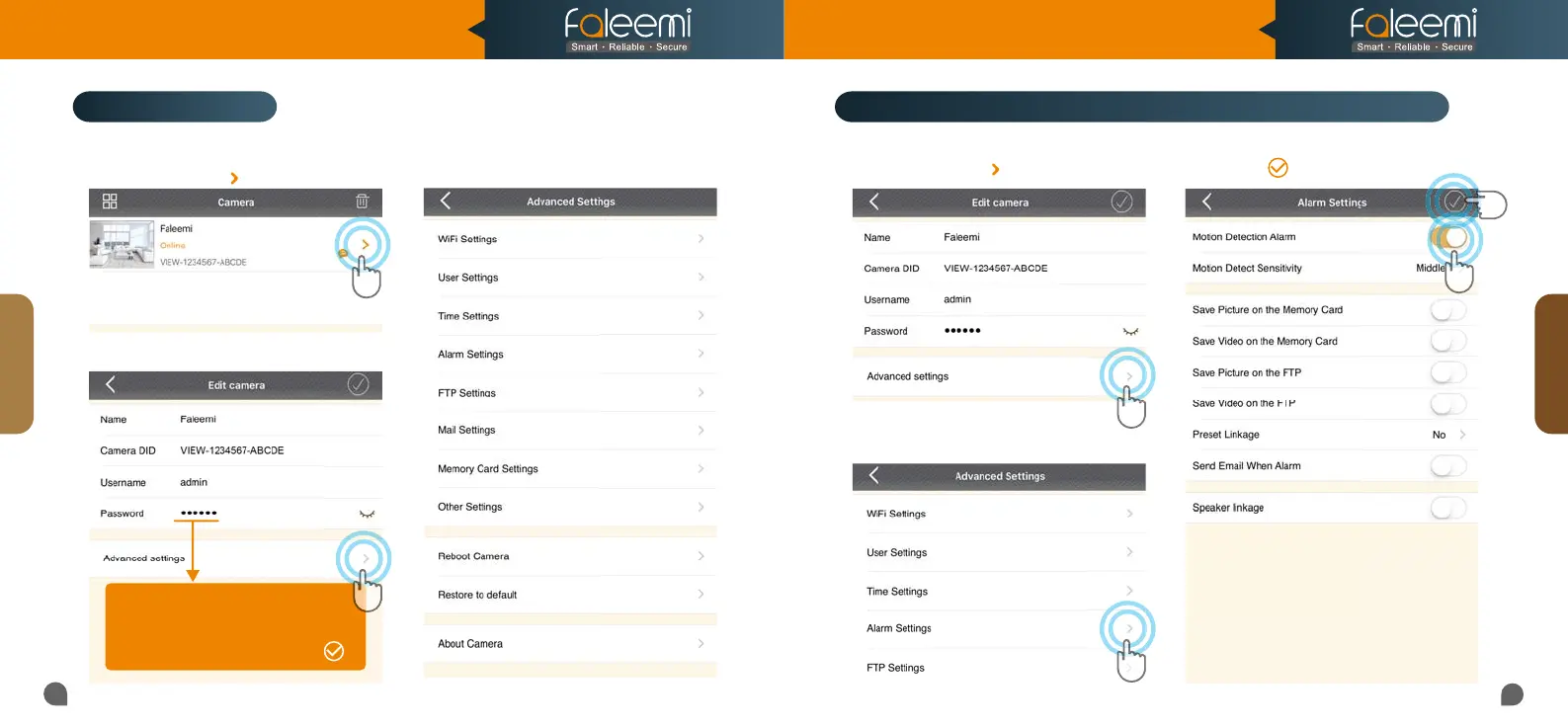
Please follow below steps to go to Advanced Settings to do more settings.
2.
Click on [Advanced Settings].
3. Do [Advanced Settings] here.
[Alarm Settings]
1. Click on the icon [ ].
2. Click on [Alarm Settings].
1. Click on the icon [ ].
1
2
3
4
3. Enable [Motion Detection Alarm].
4. Click on [ ].
Advanced Settings
Tips:
If you change your password, please
If you change your password, please
remember to update the new password
remember to update the new password
to your other phone and click on " "
to your other phone and click on " "
How to do the settings for receiving message alert on your phone?
Advanced
Alarm
Model: FSC776B/W
Quick Start Guide
HD Pan/Tilt Wireless Network Camera



 To Next Page