15
Audio Language
Select the preferred audio
language for watching TV channels.
If the language is not available, the default language will be selected
Digital Audio
If no sound from audio a
m
plifier which connected to coaxial you can change this setting.
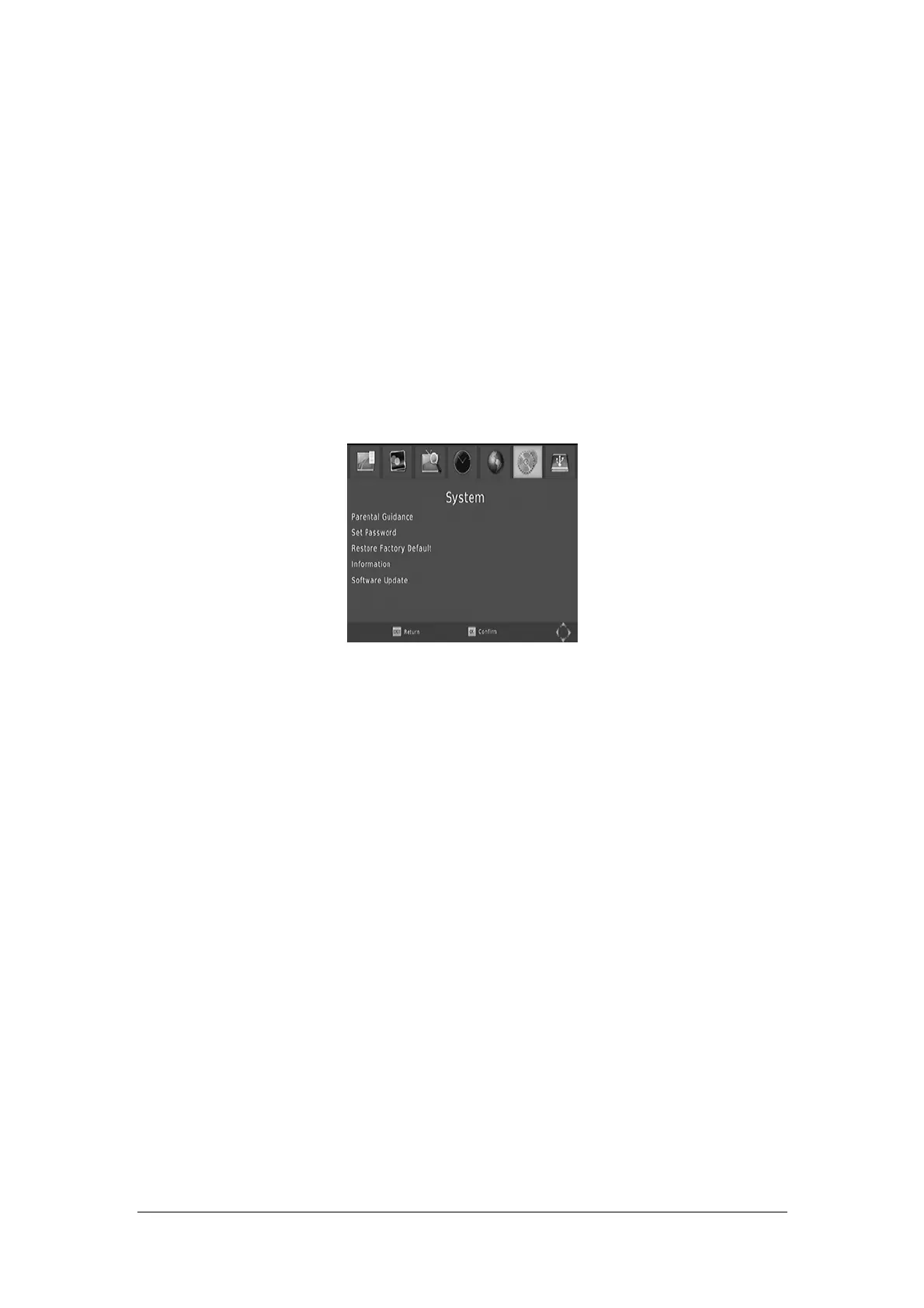
System Setting
To access the Menu, press MENU and select [System] using the RIGHT/LEFT keys. The
menu provides options to adjust the system settings.
Press the UP/DOWN key to select an option and press RIGHT/LEFT to adjust the setting.
Press EXIT to exit the Menu.
Parental Guidance
Set the age for pa
rental control.
Set Password
Set or chang
e the password for locked programs. Enter your old password or the default
password '000000'. You will then be asked to enter your new password. Press OK button to
confirm your new password.
Once it is confirmed, press EXIT to exit the Menu. The master unlock password is '888888'
Restore Factory Default
Re
set your S
et Top Box to the Default Factory Settings.
In Main Menu, select [Restore Factory Default] using the RIGHT/LEFT keys and press OK or
RIGHT to select. Enter your password or the default password '000000' and press OK to
confirm. This option will delete all preset channels and settings. The master unlock password
is '888888.'
Information
V
i
ew model, hardware and software information.
Software upgrade
Upgr
ade the software by this menu.


 To Next Page