FG7X Housing Instruction Manual 20150101
OPTIONAL ACCESSORIES
FOR THE FULL SELECTION OF FANTASEA ACCESSORIES COMPATIBLE WITH THE FG7X HOUSING, PLEASE
REFER TO THE FANTASEA WEBSITE – www.fantasea.com
EXTERNAL FLASHES
Underwater flashes and strobes were designed to improve the color, lighting and quality of your
underwater images. Since light and color are absorbed by water, using an external flash is recommended in
all depths, during daylight and night dives. In addition to retrieving the color and light absorbed by water,
underwater flashes also allow for creative lighting, assist in reducing the amount of backscatter and prevent
the shadowing effect caused by the housing lens port when using the built-in camera flash, especially when
accessory lenses are mounted on the housing.
The FG7X Housing can be used with underwater slave flashes. These external flashes feature a slave sensor
which triggers the external flash to fire in sync with the internal camera flash.
Most underwater slave strobes are capable of synchronizing with the internal camera flash without any
cables under certain diving conditions. They feature a slave sensor that triggers the strobe to fire in sync
with the camera built-in flash as long as the strobe and the camera are positioned on the same axis and as
long as there is not much ambient light available. However, if the strobe slave sensor isn’t pointed directly
at the internal camera flash, or when photographing during daylight, in clear water and bright conditions,
the slave sensor might fail recognizing the output of the internal camera flash. Connecting a fiber optic
cable between the internal camera flash and the slave strobe ensures full synchronization in all angles and
diving conditions.
Attaching Fiber Optic Cables to the Housing
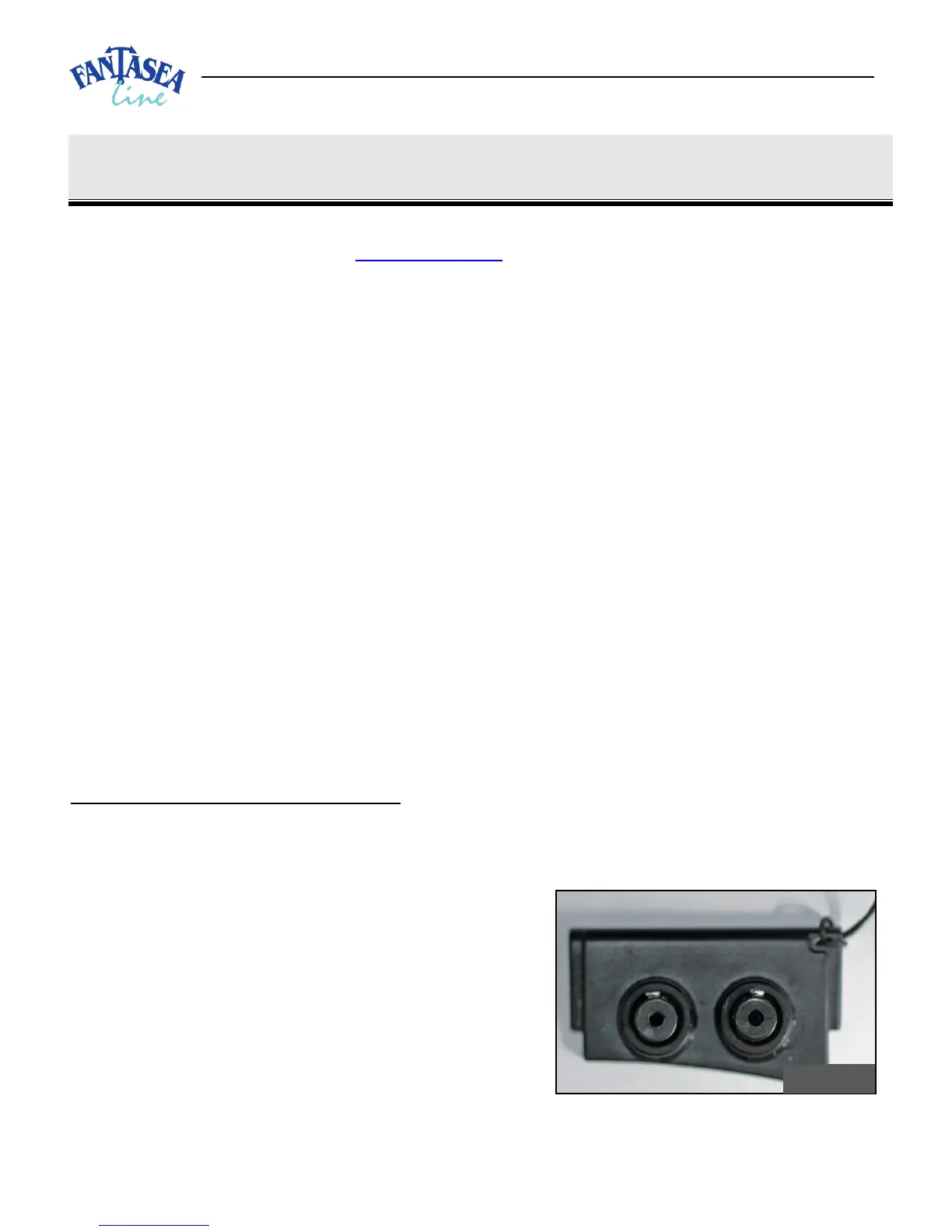
1. When installed on the housing, the fiber optic cable plate and the two adaptors inserted inside it
allow for an easy attachment of up to 2 fiber optic cables to the housing.
2. If the fiber optic cable you have features a different type of adaptor, remove this adaptor from the
end of the cable and use the adaptors included with
the FG7X Housing instead.
3. Remove the Fiber Optic Cable Plate from the
housing. Insert your fingers beneath the adaptors
installed inside the plate and push the plate upwards
till it is removed from its slot.
4. Prior to installing the fiber optic cable on the Fiber
Optic Cable Plate, make sure that the two black
adaptors are firmly and properly installed inside the plate (image #16 on the previous page).


 To Next Page