FG7X Housing Instruction Manual 20150101
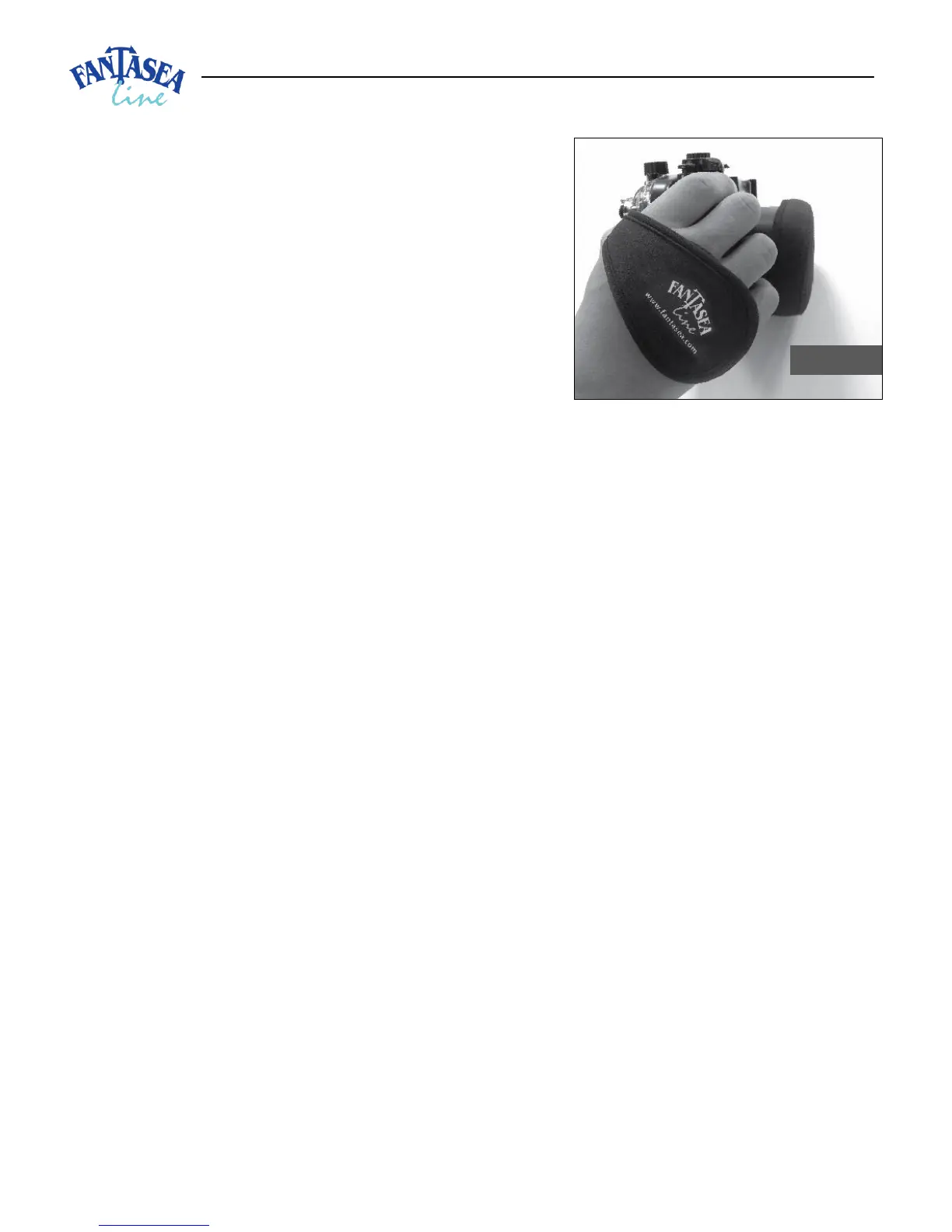
5. To use, slide right hand from back side to front of the
Hand Strap with knuckles protruding slightly out of the
front (lens side) of the strap (image #25). Have it snug
but not too tight, to allow for control manipulation.
6. Always use the wrist lanyard with the hand strap.
7. When opening or closing the housing, you may need to
loosen the Hand Strap so it can be moved out of the way
to allow for easier locking and unlocking of the latch.
8. When closing the housing, take special notice and care
not to close part of the Hand Strap inside the housing,
which will interfere with the watertight seal of the
housing.
9. Make sure to rinse the Hand Strap in fresh water and then dry after every use. Store in a dry, shaded
area.
COLD-SHOE CONNECTOR FOR LIGHTING ACCESSORIES AND ACTION CAMS
The Cold-Shoe Mount featured on the housing enables mounting a flash, video light, night dive torch, focus
light, GoPro and other action cameras on top of the housing by using a standard Cold-Shoe connector
mount. Note that in order to install or remove connectors off the housing Cold-Shoe mount, the fiber optic
cable plate should first be removed. The plate can be replaced once the connector has been mounted or
removed from the Cold-Shoe mount.
MOISTURE DETECTOR
The FG7X Housing comes with a Moisture Detector installed inside (on the inner side of the housing latch
dial – see image #10). Moisture detectors are very sensitive, so whenever moisture is detected by the
sensor located at the bottom of the housing, the moisture detector LED light begins flashing and a warning
alarm starts beeping, thereby alerting the user of a possible leak. For further instructions, please refer to
the Fantasea Moisture Detector section.


 To Next Page