FG7X Housing Instruction Manual 20150101
INSTALLING THE CAMERA
Since the FG7X Housing is specifically designed for the Canon G7 X digital camera, installing the camera in
the housing is quite simple.
1. Make sure the camera is turned off.
2. Make sure the housing Flash Up Switch is rotated all the way counterclockwise (pushed towards
the front of the housing). Failing to do so with interfere with camera installation inside the
housing.
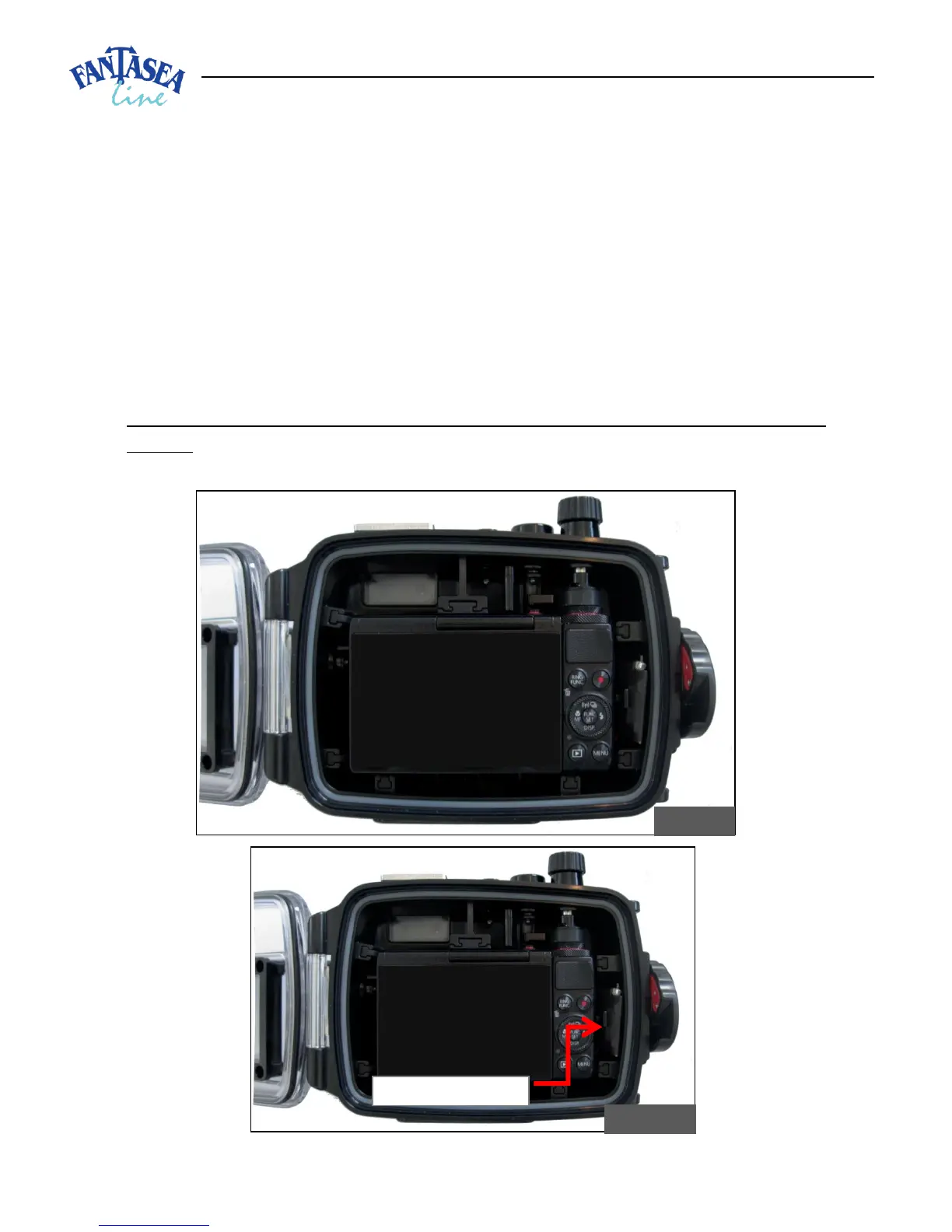
3. Hold the camera parallel to the housing and then gently install it inside (image #9). Avoid
inserting one side of the camera prior to the other, as this will make the installation difficult and
might cause damage to the camera or housing.
4. Take special care not to touch or damage the moisture detector device when installing the
camera. The Device is located inside the housing on the inner (right) side of the housing
interior to the latch dial (image #10).


 To Next Page