1.4 Connection
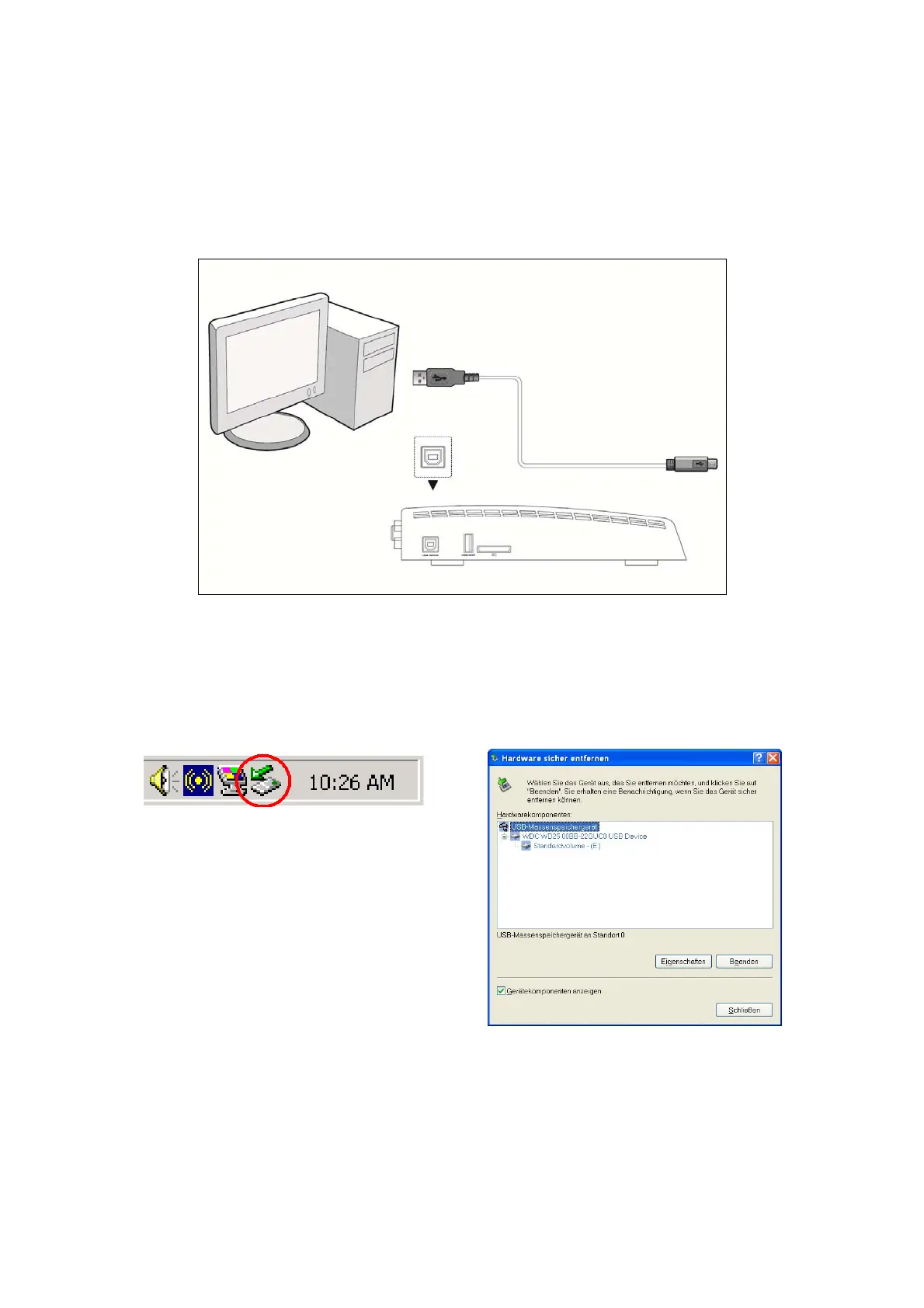
1.4.1 Connect to Computer
(1) Make sure the player is powered on;
(2) Plug in the squarish connector of the USB cable to this player’s USB DEVICE port;
(3) Plug in the rectangular connector of the USB cable to computer.
Important:
If your HDD is formatted with NTFS file system, please do not forget to remove it before
removing from PC. Otherwise the P2300 will not recognize the HDD.
1) Click the green icon at the right down corner.
2) Click the popup to remove the device .
1.4.2 USB Mass Storage Device (like USB Pen Drive, MP3, USB HDD etc.) Connection
(1) Make sure the player is powered on;
(2) Plug in the USB Pen Drive or USB HDD etc. to the USB host port of this player.
EN 6 / 28



 To Next Page